After choosing an agent, who owns the business knowledge?
Check ownership, access, updates and handoff before adding another information system.

An agent demo shows what a tool can do. Keeping it useful means knowing where customer information, product policies and accepted decisions live—and what survives when a different tool takes over.
Open one business document your current agent uses. It may be uploaded into a custom GPT, bundled with a Skill, or retrieved from an external system. Each approach can work. They create different obligations when the document changes. Start your selection with that lifecycle rather than the number of tools in a marketplace.
Identify what the listing actually delivers
An agent, a Skill, a template and a connector are different purchases. An agent supplies an execution setup. A Skill packages reusable instructions and resources. A template supplies a starting configuration. A connector provides access to another system. A listing can combine these, but installation alone does not establish ownership of the business information.
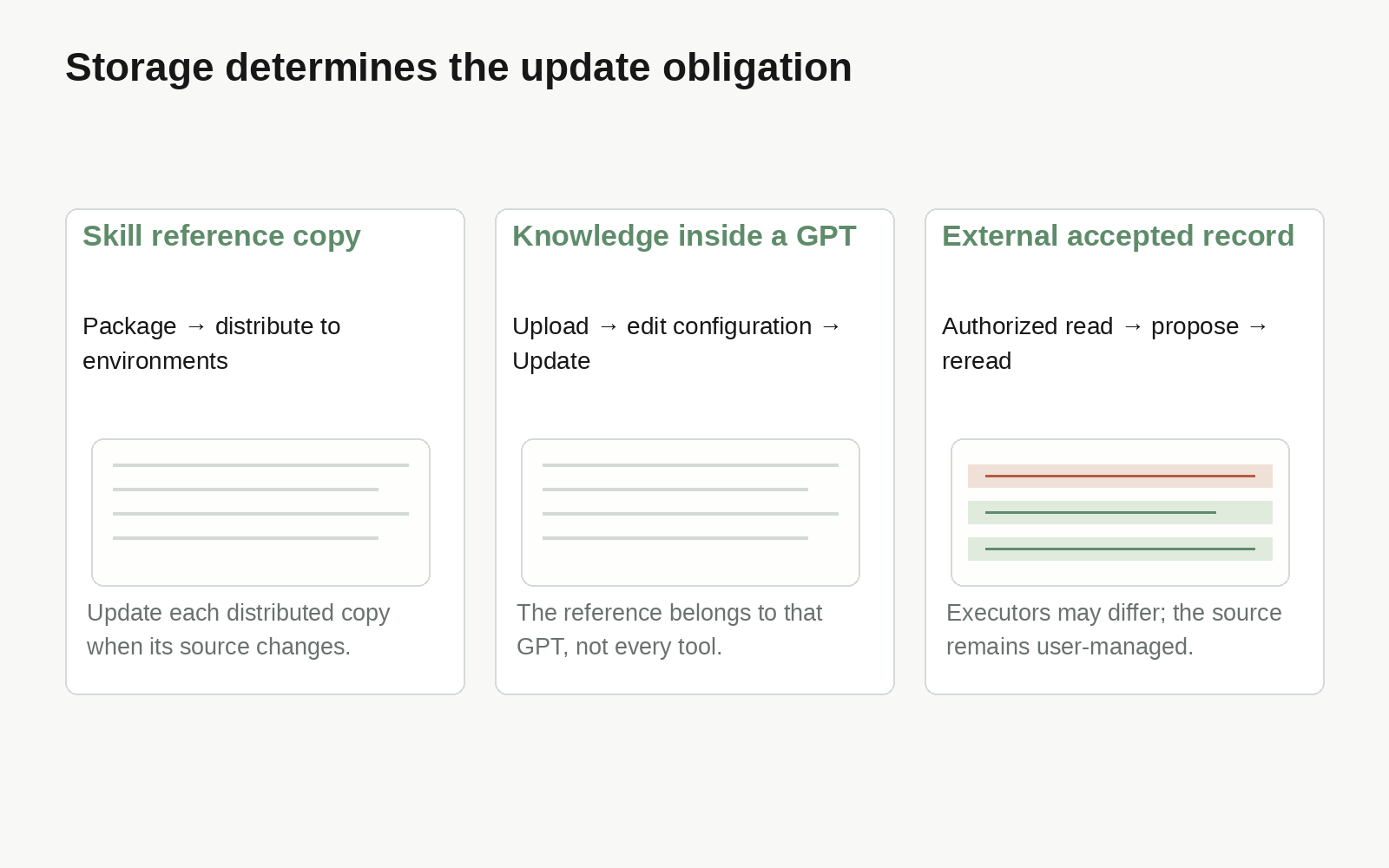
Anthropic describes Skills as filesystem-based packages containing instructions, scripts, templates and reference files. Resources load when needed. Its documentation also states that custom Skills do not automatically synchronize across product surfaces. Bundling a handbook distributes a particular copy; the organization still needs a way to update the copies used in different environments.
Existing custom GPTs offer another model. OpenAI's configuration guide distinguishes uploaded Knowledge from Instructions: files provide reference material, while Instructions describe behavior. Editors apply changes through Update. This keeps references with that GPT's configuration. It does not by itself maintain a common business record across other tools. Creation and migration availability currently varies by account and workspace; evaluate the controls available in your own environment.
Stable formatting guidance can belong in a Skill. A rarely changing manual used by one existing GPT can remain in its Knowledge. Frequently changing business fields used by several execution environments deserve a closer look at their shared location.
Ask four questions about one actual document
Where is the accepted source? Ask for the file, document or record location and its editing owner. “Persistent memory” might mean a conversation history, project files or a separately managed data source. Those answers have different operating consequences.
How does the agent read it? Local files, uploads, APIs and MCP connections are possible routes. Identify which route the selected tool supports, the identity receiving access, and whether a replacement tool can read the same object. A common protocol is a connection option, not evidence that the two configurations already work.
When does an edit take effect? A changed source might require another upload, installation or index refresh. If several copies exist, identify who checks their versions. Policies that affect customer commitments also need a clear rule for accepting changes before agents use them.
What survives replacement? Check instructions, source files, outputs and history separately. Copying a prompt does not transfer connection credentials, authorization or review decisions.
Capture the answers in a small asset register: material, accepted location, read method, update owner, activation step and replacement procedure. That deliverable is more useful for purchasing and handoff than a generic “knowledge base supported” checkbox.
Keep the existing location when it is sufficient
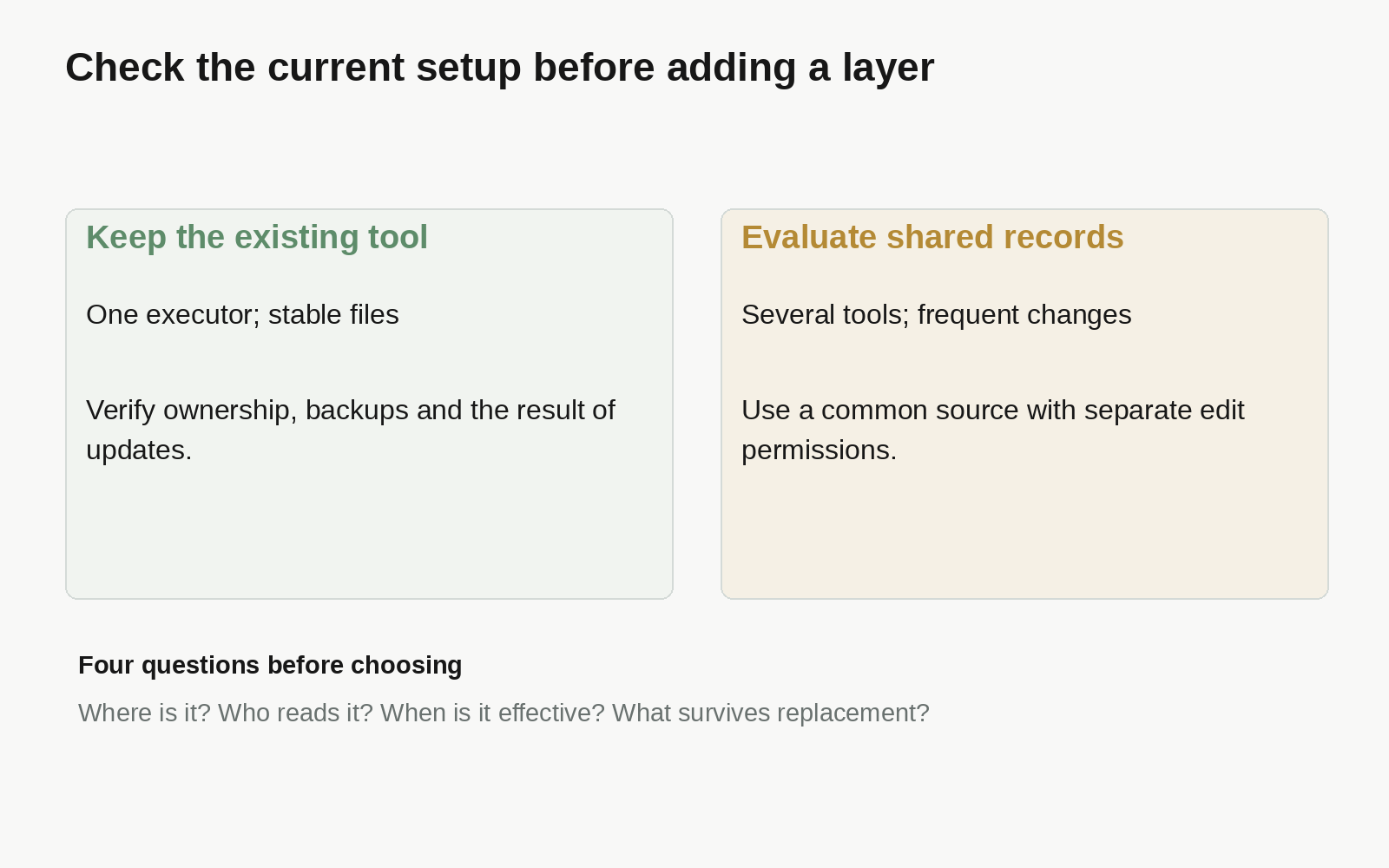
A single agent working from a few stable files may need nothing beyond its host's file and version controls. Confirm ownership, backup and the outcome of an update before introducing another system. Splitting a simple operation across services creates its own maintenance work.
A shared layer becomes worth evaluating when a second tool needs the same policy, conflicting copies appear, or a change needs an explicit acceptance decision. It can reduce uncertainty about the current source while adding connection, permission and failure-handling responsibilities. Make that trade-off against a real recurring problem.
A small shared-information setup with Busabase
Busabase can hold user-managed business information and its changes. Its node model offers Bases for typed records, Docs for longer documents and Skills for reusable methods. Choose by the material's shape rather than converting every file into a table.
The following is a starter design to adapt, not a prebuilt industry workflow:
| Node | Suggested contents | Purpose |
|---|---|---|
| Folder: Business information | Records, review rules and operating method | Navigation |
| Base: Product policies | Name, applicable product, current text, source URL, effective date, owner | A common accepted record for later work |
| Doc: Change rules | Fact owner and changes needing review | Human acceptance criteria |
| Skill: Using policy records | Read order, evidence, proposal and readback steps | A reusable method for connected executors |
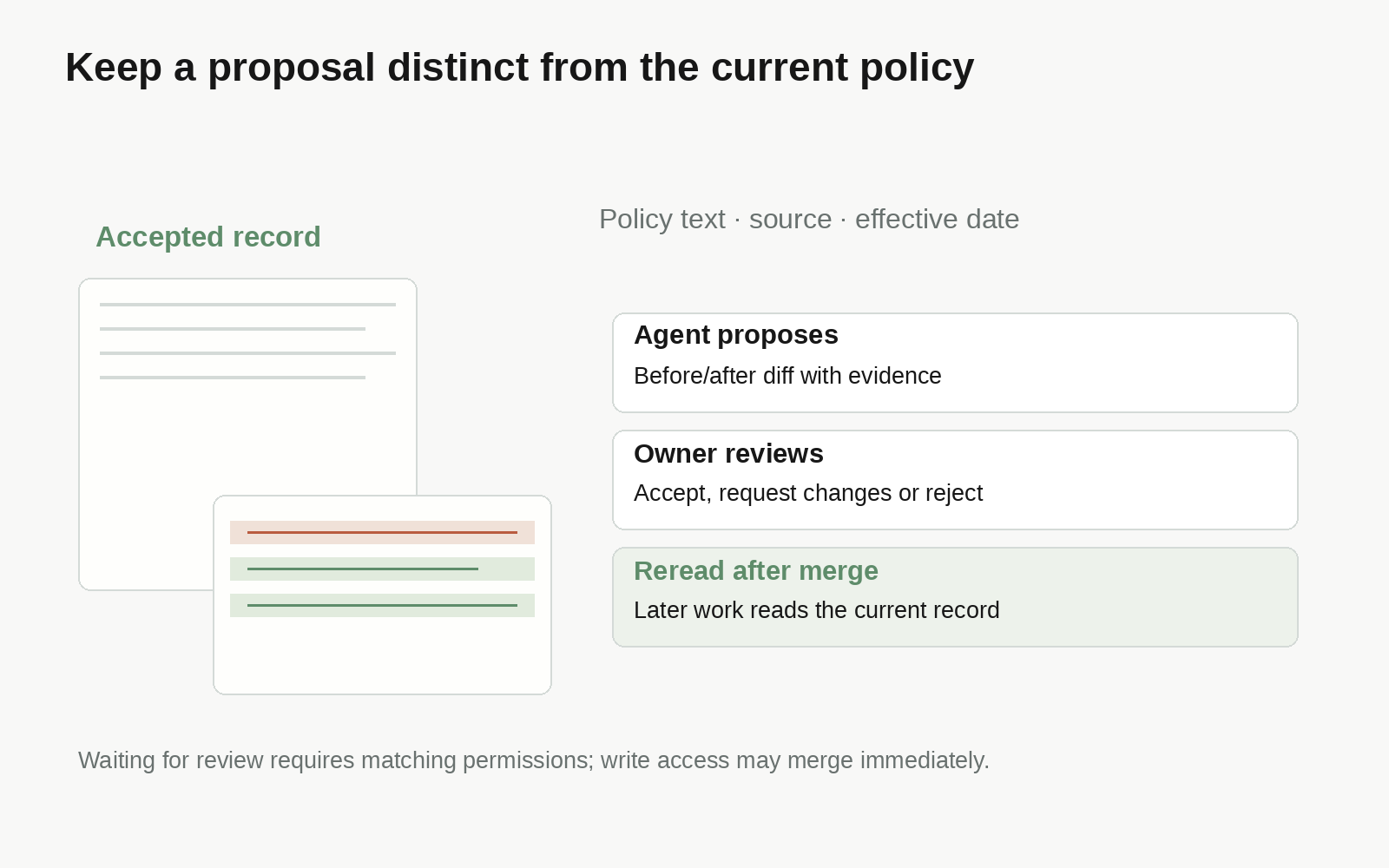
Use an actually supported MCP and OAuth client or API integration. Verify identity, workspace and a read before enabling edits. Choose changeRequest permission for an agent whose proposed changes should wait for review. A writer with write access can merge immediately; the credential must match the intended approval boundary.
An instruction for a connected agent could be:
Read the current product policy and cite its source. If evidence conflicts, preserve the accepted text and propose a ChangeRequest with the old text, suggested revision and supporting source. Wait for the owner's decision. After merge, reread the record before using the change in later work.
The result should be an inspectable record plus a diff, not a chat claim that something was updated. A merged ChangeRequest advances the current record. An executor holding an earlier copy still needs to refresh it using its own client behavior.
Test one policy before moving the library
Use an already accepted policy. Confirm that tool A and tool B read the same source. Propose a recognizable edit and verify that it waits for the intended reviewer. Merge it, reread from both tools and compare the current text. Revoke one tool's authorization and verify that the other continues under its own grant.
This tests independent storage, controlled changes and replaceable executors. Expand only when those properties solve your actual handoff needs.
Should every Skill reference file move out?
No. Stable methods, formatting examples and general references can travel with the Skill. Separately manage business material requiring ongoing updates, a clear owner or reuse across tools, and document its reading location in the Skill.
Does a working MCP connection guarantee shared knowledge?
Check the workspace, permission scope, actual object and cache. Read the same current record through both tools, then test a change. A successful connection alone does not establish identical inputs.