After a record merges, how do you verify the downstream automation?
Trace event coverage, delivery evidence and receiver results before treating an integration as complete.

Between a merged record and a delivered outcome lies a chain: event selection, rule execution, request delivery and receiver processing. A missing notification can originate at any of those points.
Updating the source record repeatedly adds activity without identifying the break. First establish whether that change matches a supported event, then separate sample tests, real executions and the downstream outcome.
Check whether this change can trigger the rule
Open Webhooks from the space menu. Rules select an event and can be scoped to one Base or the space. The current event guide lists four triggers: New Record when a record is created and merges into a Base; an @AI mention in a comment; Changes requested when a reviewer requests revisions; and Asset uploaded when an uploaded file does not yet have readable text.
New Record is about creation followed by merge. Do not treat it as a general subscription to updates on existing records. If the requirement is to react when an existing field changes, verify a suitable mechanism rather than repeatedly editing an old record and waiting for this event.
Keep a coverage list mapping business operations to required events, Base scope and the actual rules. A missing trigger should be visible before anyone starts debugging the receiver.
Separate sample tests from production events
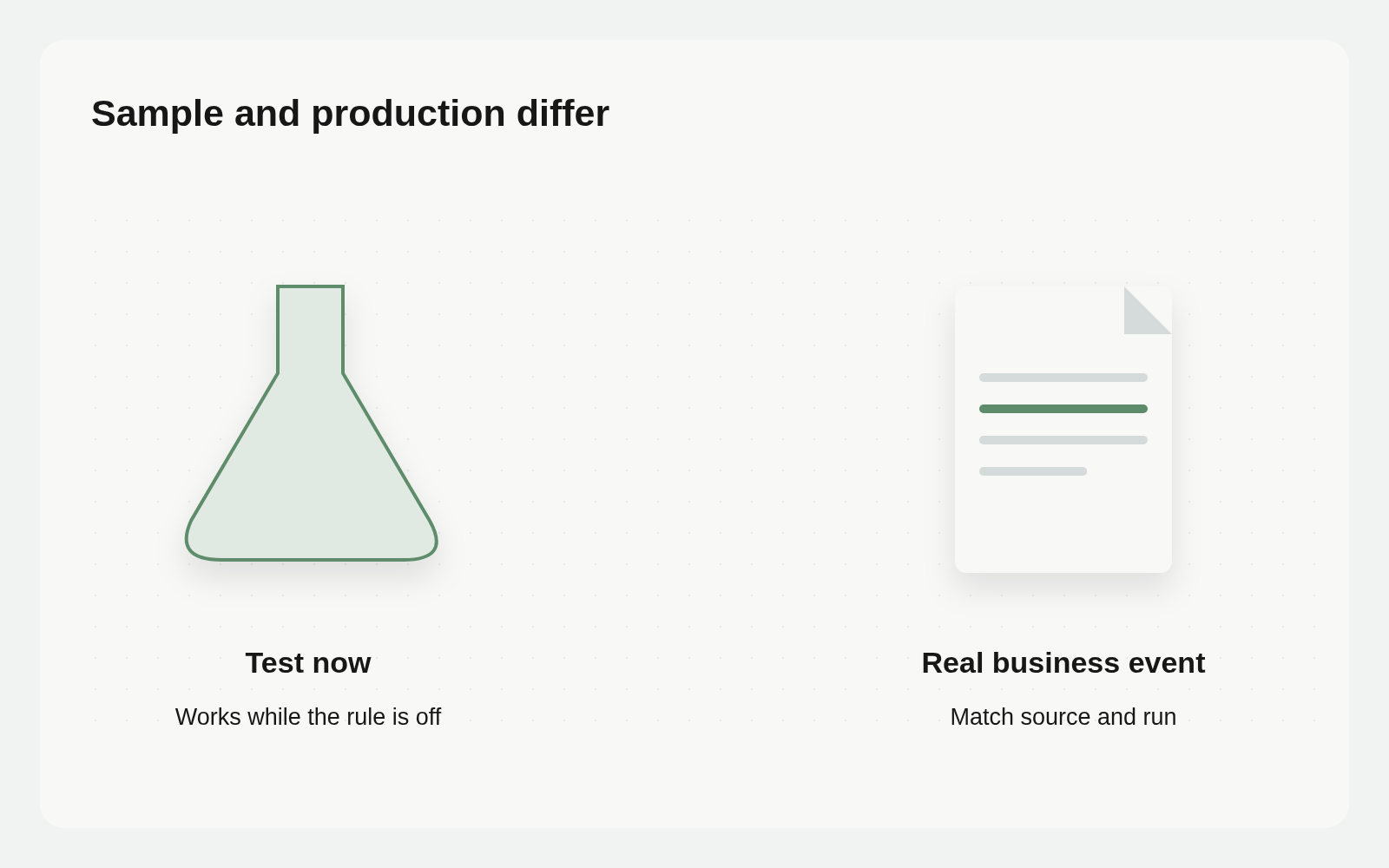
Test now runs a realistic sample payload immediately, even if the rule is off. It helps check address, format and function behavior. It does not prove that a production operation meets the trigger or that its event was delivered.
Check the sample first, then inspect an authorized real operation. Do not create official business records or send messages simply to test without a clear environment, target and permission.
Expand the rule’s recent run history. Success entries contain logged output; Failed entries expose errors. Retain the source record, rule, time and relevant real-run evidence, then locate the matching receiver request and outcome. Recent history is a debugging surface, not a promise of permanent business evidence storage.
Choose an action by who owns the next step
Webhook sends an HTTP POST to a URL. Notify agent sends the corresponding request to an Agent endpoint. Both support a configured signing secret so the receiving service can verify the source. Run function executes a small JavaScript function in Busabase’s isolated environment and can call external services with fetch.
For an existing receiving service, verify the endpoint, signature handling and business processing. For an Agent, identify what inspectable result it should create after reception. Use a function when a short transformation or call is sufficient. A successful request is not automatically a completed business operation.
The receiver needs failure handling and deduplication appropriate to its work. An enabled rule alone does not establish exactly-once execution or atomicity between a Base merge and an external side effect.
Keep functions small
Run function allows a total timeout of 100–5000ms, including fetch calls, and up to ten fetch calls. It cannot read server files or environment variables. Requests to localhost, private ranges and cloud infrastructure addresses are blocked. A returned value is only recorded for reference; it does not automatically start another step.
Long processing belongs in a service designed to accept that work. Document timeout handling, external failures and duplicate requests at the receiver instead of asking a short function to own the entire operation.
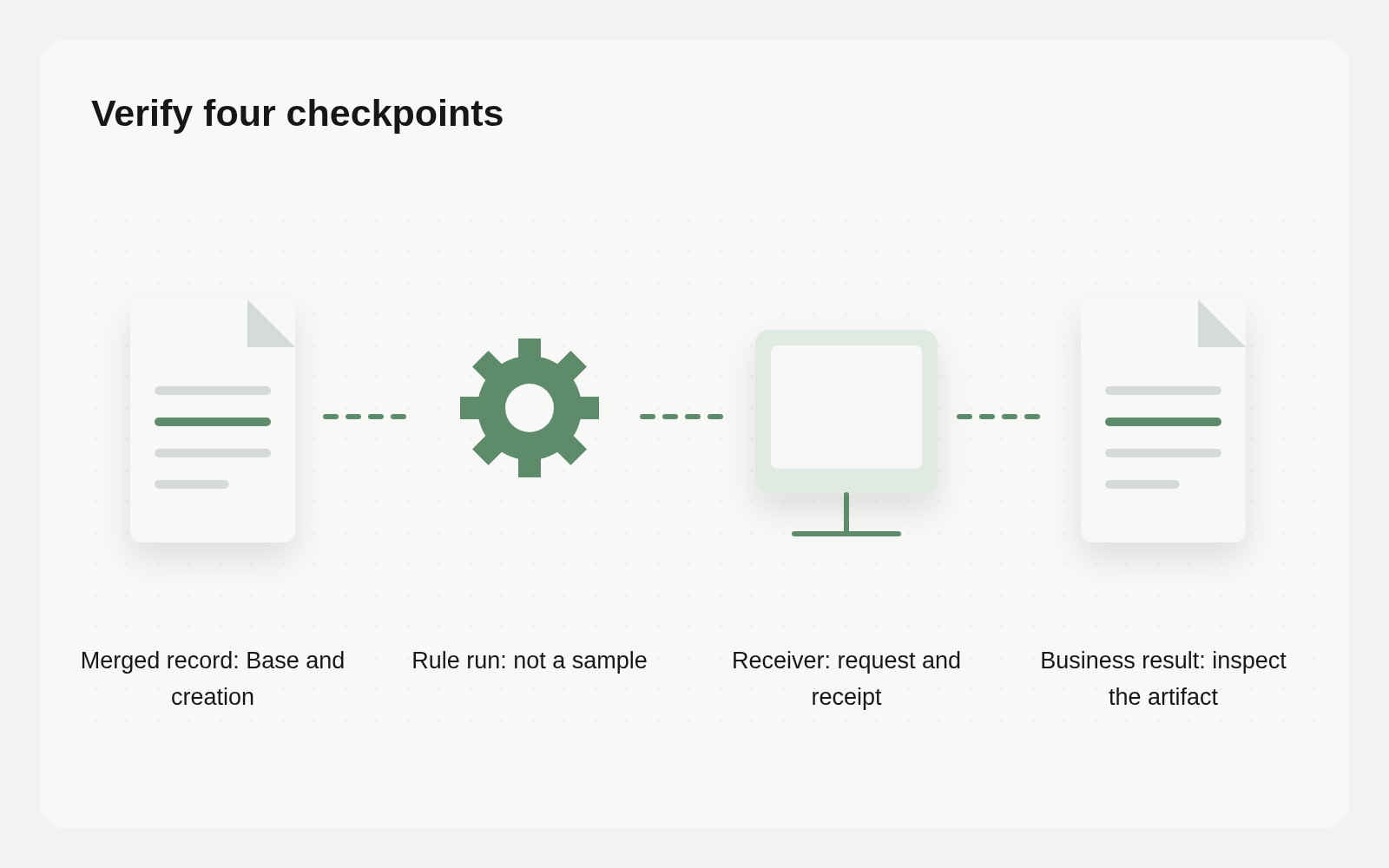
Trace four distinct checkpoints
Start with the canonical record: was it newly created, merged and in the selected Base? Next locate the real rule run rather than a Test now sample. Then inspect the receiver’s request and signature verification. Finally check the business result: a delivered notification, created task or updated destination record, according to the connected service.
A successful rule can precede asynchronous work or a later business failure. If no matching receiver request is visible, check the address and delivery evidence. Report the last confirmed checkpoint without inventing a root cause.
Read this rule’s event, scope and recent logs. Check whether the specified record belongs to a merged creation. Separate real events from Test now samples. Report confirmed stages, missing receiver evidence and the next check. Do not resend requests, create records or modify the rule.
This instruction assumes the Agent has suitable read tools and permissions. If receiver logs are unavailable, ask that service’s owner for the missing evidence.
When to retry and when to inspect another stage
First ask whether the business change can produce the selected event. Repeatedly saving an existing record does not turn it into New Record. Test now can inspect action configuration, but cannot establish a real create-and-merge trigger.
If the receiver has the request, inspect acknowledgements and the business object before sending again. Delivery and completed processing differ; a timeout alone does not prove nonreceipt. Keep source-record, rule-run and receiver-object links so the next investigation does not duplicate an action.
Retain an acceptance trail
Reuse an operations Base if useful. Suggested fields include a source-record relation, event type, rule name, check time, delivery evidence, receiver receipt, business result and unresolved work. This is a proposed record design; creating a Base does not collect logs automatically. An authorized tool or owner supplies the results through auditable changes.
Start with one existing rule and verify the complete path. Once every stage can be explained, the team can decide whether to change the rule, fix the receiver or wait for work already accepted.