Local-First Private Agent Memory: Keeping AI Context on Your Own Machine Without Giving Up Structure
Run Busabase Desktop v1.3.2 offline so agent memory stays in a local folder with structured review.
If you want your AI agent to remember client notes, contract terms, or personal project history, the default advice on the web is either "upload everything to a cloud memory service" or "dump plain text files into a local folder." Neither option works well once real work piles up: cloud memory sends sensitive context off your machine, while plain local files break down as soon as you need filters, structured statuses, or safe multi-agent updates.
Local-first private agent memory solves that split. With Busabase Desktop (v1.3.2), your data stays inside a folder on your own computer—with no cloud account, no usage tracking, and full offline support—while still giving your coding or personal agents structured Bases and ChangeRequest review.
Why plain local folders hit a ceiling for agent memory
Running a local model or coding assistant on your laptop protects inference, but storage is only half the problem. When an agent dumps memory into dozens of unindexed text files:
- Queries turn into slow guesswork: Finding every active client follow-up due this week means scanning entire folders instead of filtering a status column.
- Silent overwrites happen easily: An agent updating a note can overwrite last week's context without showing you what changed.
- No clean boundary between drafts and confirmed facts: Unverified agent guesses sit right next to approved decisions.
To keep agent memory private and reliable on your own machine, you need three things: local storage ownership, typed tables, and an approval step before writes become final.
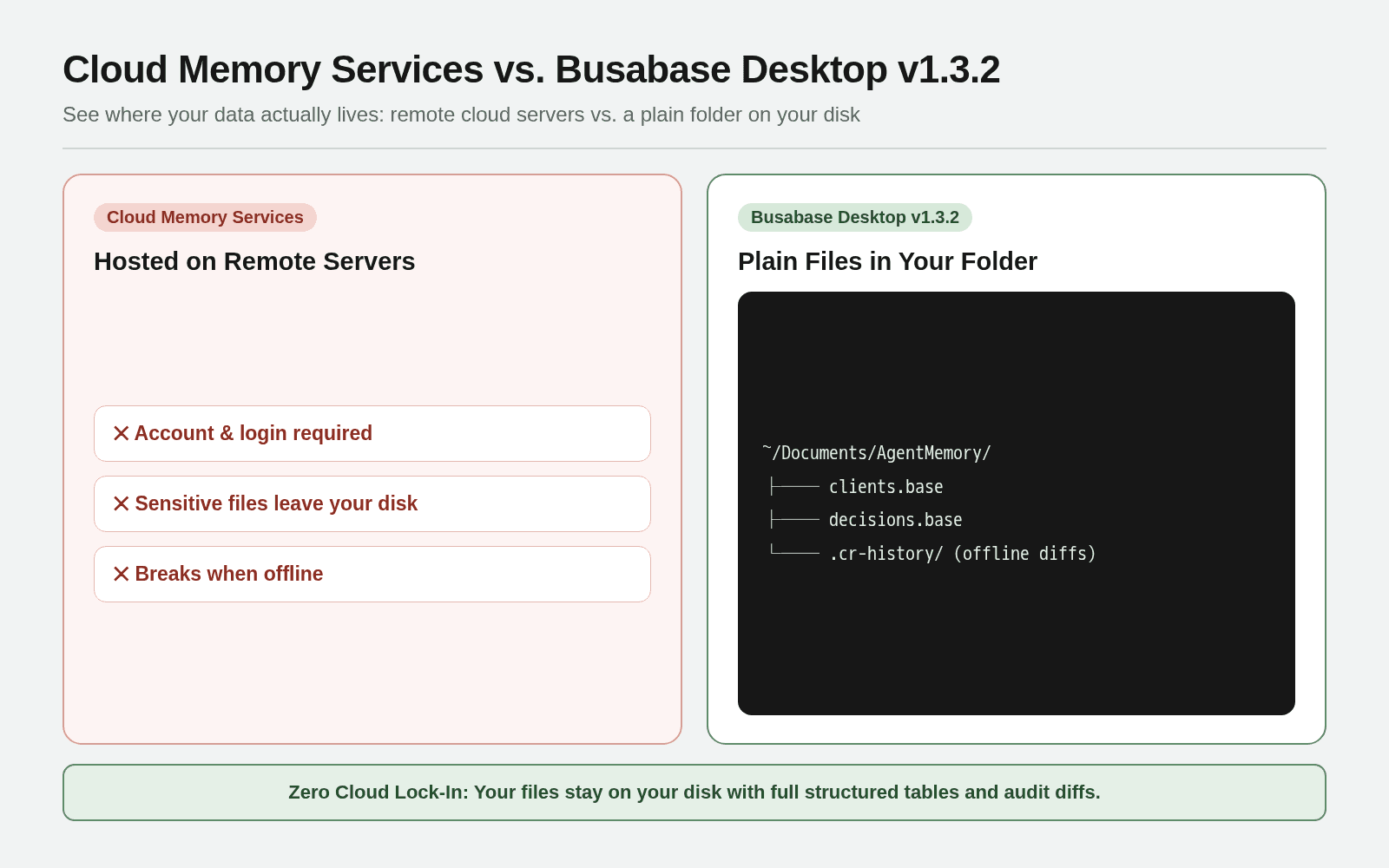
How Busabase Desktop keeps agent memory private on your computer
According to the official Busabase Desktop download page, Busabase Desktop (v1.3.2+202611140120) is an open-source desktop application designed around three privacy guarantees:
- Your data stays in a folder on your computer: Records, attachments, and workspace state live directly on local disk rather than a vendor cloud.
- No cloud account and no usage tracking: You can launch and organize workspaces immediately without signing up for a hosted account or sending telemetry.
- Keeps working offline: Structured Bases, views, and local reviews remain usable even when your machine is disconnected from the network.
It ships natively for macOS (Apple Silicon and Intel), Windows (64-bit, Windows 10+), and Linux (AppImage, .deb, and UOS / Kylin .deb).
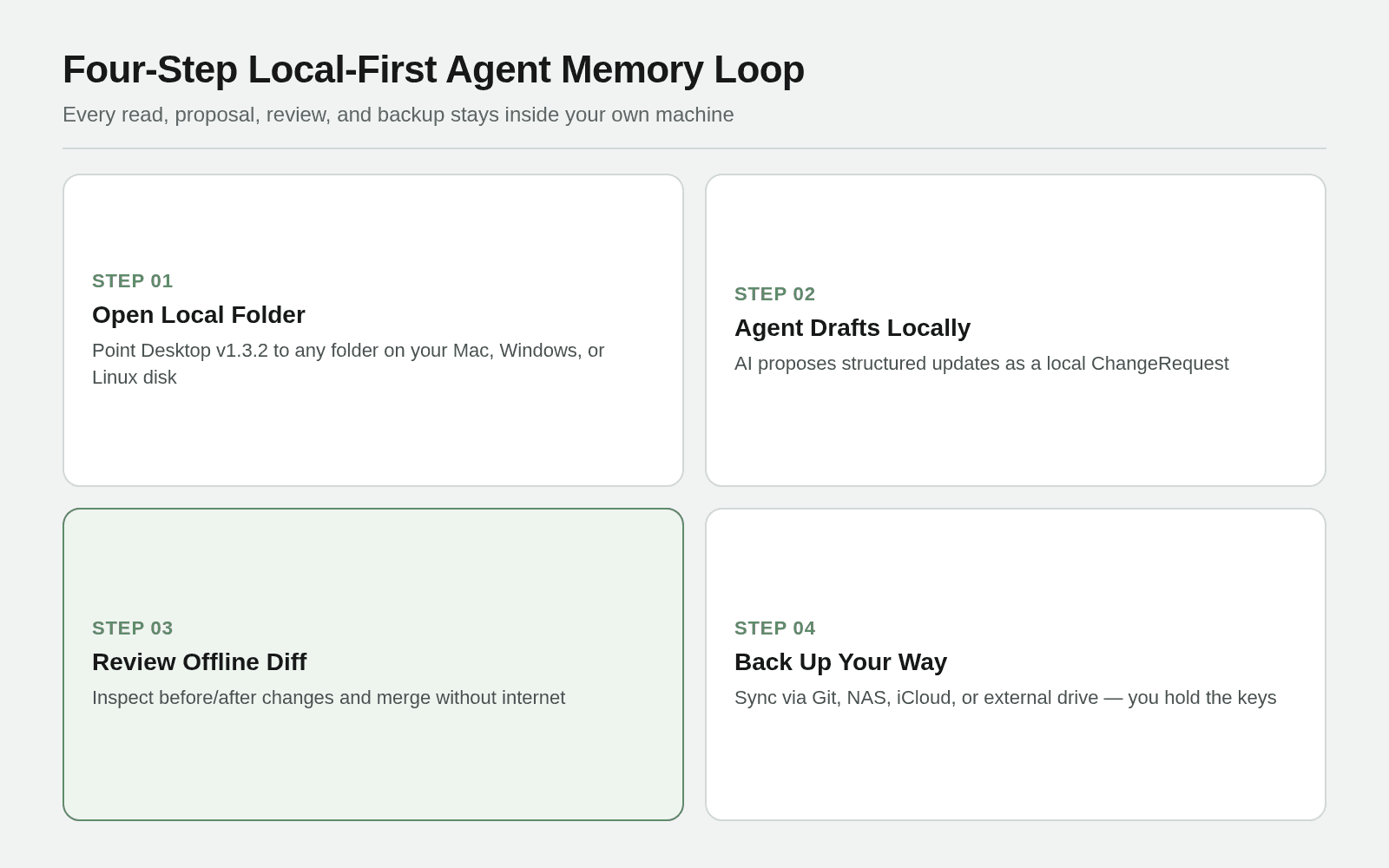
Connecting local agents with reviewable writes
Instead of letting an agent mutate files silently, Busabase treats every agent update as a ChangeRequest. Your agent reads the local Base schema, proposes new rows or field edits, and waits in your local inbox until you inspect the before/after diff and merge.
That boundary—explained in What Makes an Agent Write Authoritative and Personal Database for AI Agents—means you get the auditability of a team database without giving up local privacy.
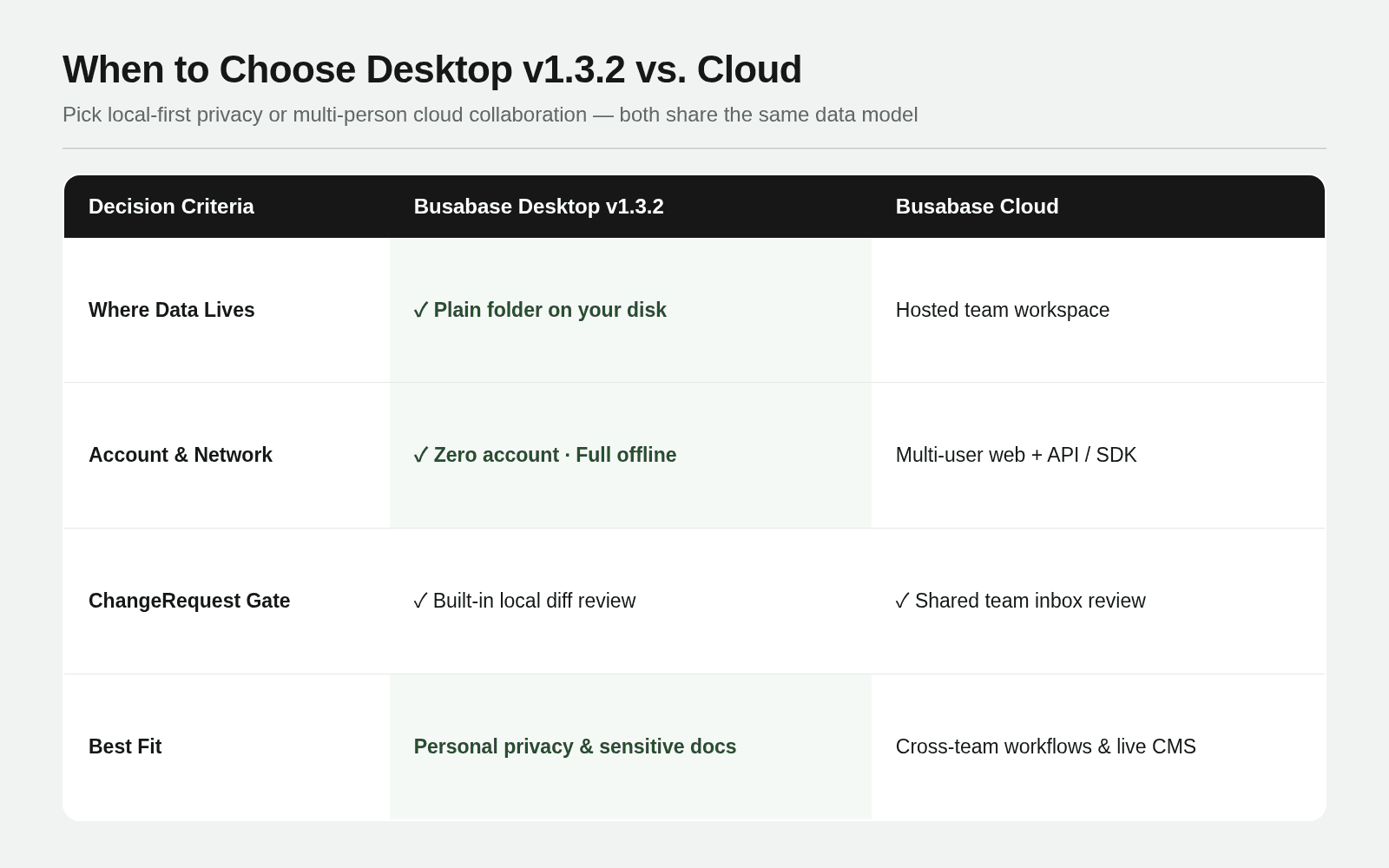
When to stay 100% local vs. share with a team
Stay 100% on Busabase Desktop when you are managing personal research, confidential client dossiers, or solo coding workflows where nothing should leave your laptop. Later, if a project grows into a team workflow where teammates or external agents need shared visibility, you can decide deliberately what belongs in a shared workspace—without rebuilding your schema from scratch.
Frequently Asked Questions
Does Busabase Desktop require an internet connection or cloud login?
No. Busabase Desktop v1.3.2 requires no cloud account, performs no usage tracking, and continues working offline with your workspace stored in a local folder on your computer.
Which operating systems does Busabase Desktop support?
Official installers are available on busabase.com/download for macOS (Apple Silicon and Intel), Windows 64-bit (Windows 10 and later), and Linux (x86-64 AppImage / .deb, plus UOS / Kylin .deb).
How is this better than keeping agent memory in plain Markdown files?
Plain files lack typed columns, reliable filtering, and per-field change diffs. Busabase Desktop gives your local agents structured tables and ChangeRequest review so nothing gets silently overwritten.