Memory for Gemini 4 Neon: Using the Right Version When Source Files Change
When PDFs and sheets update mid-project, anchor versions and incremental ChangeRequests so the next analysis never relies on stale notes.
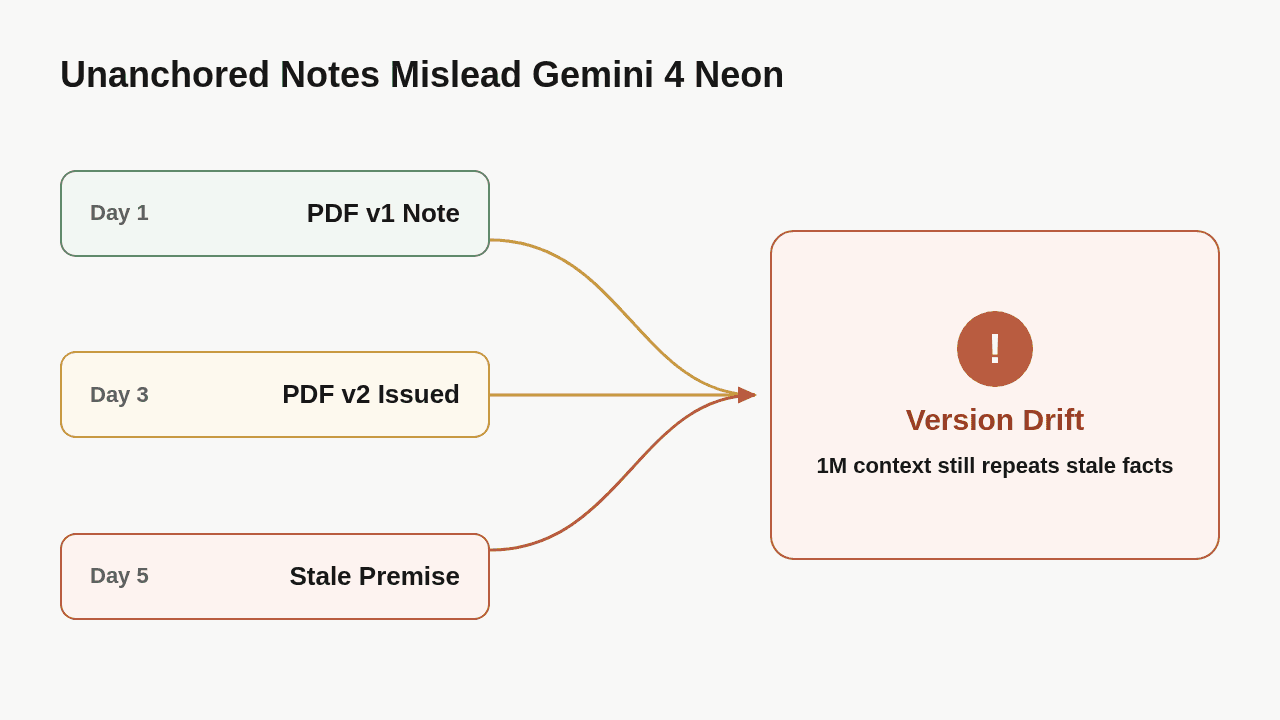
The hardest part of long-context analysis is rarely the first run. It is what happens three days later when one vendor sends a revised price sheet, legal updates a contract PDF, or a product page changes tiers. Start a follow-up session and the model can smoothly reason over an outdated summary from Monday—coherent on the surface, wrong on the underlying facts.
Google’s Gemini 4 Neon launch brings a 1 million-token context window built to synthesize spreadsheets, PDFs, charts, audio, and video in one pass. The more sources a single run can ingest, the more important it becomes to ensure the next analysis reads the updated version rather than stale intermediate notes.
Long context reads everything once; it does not track source drift
A 1M-token window solves single-run capacity, not multi-day memory hygiene. Teams typically run into two failure modes:
- Summaries detach from source versions: Monday’s takeaway from PDF v1 gets saved as plain text. When PDF v2 arrives on Wednesday, nothing links the note to v1, so Friday’s run treats Monday’s summary as current truth.
- Full re-runs hide what changed: Re-feeding every raw file from scratch forces reviewers to guess which lines in the new output actually changed because of the updated source.
As explained in Agent Memory vs Knowledge Base vs System of Record, a knowledge base holds reference files, while a system of record binds each accepted conclusion to its exact commit and source state.
Anchor versions and update incrementally via ChangeRequests
Start with one price sheet and one conclusion that depends on it. Keep the supplier file where the team can inspect it, and record the version used.
| Resource | Suggested fields | Purpose |
|---|---|---|
| Sources Base | Name, version, file or URL, captured date | Save v1 and v2 as identifiable source versions |
| Conclusions Base | Statement, source relation, source version, state, owner | Link each reusable conclusion to the version it actually used |
| Reading procedure | Which states and source versions are usable | Tell the next Agent what to include or leave unresolved |
When a revised file arrives, have its owner save v2 and confirm the saved record before asking the Agent to update conclusions. Then use this instruction:
Compare this saved v2 source with v1. Find the conclusions that cite v1, and propose only the changes supported by v2. Include the old and new evidence and leave ambiguous items unresolved. Return a pending ChangeRequest; do not approve it yourself.
The owner checks the actual diff and source before merging. Old commits preserve the earlier rationale; the source relation says which version supports the current conclusion. Every write keeps a ChangeRequest and history, but it does not always wait for a person. A proposal-only (changeRequest) connection leaves edits pending; a write connection normally merges them immediately. For this review-first example, use proposal-only access or explicitly request a pending change even when the connection can write. Check the returned status. Change Requests and API permissions describe the distinction.
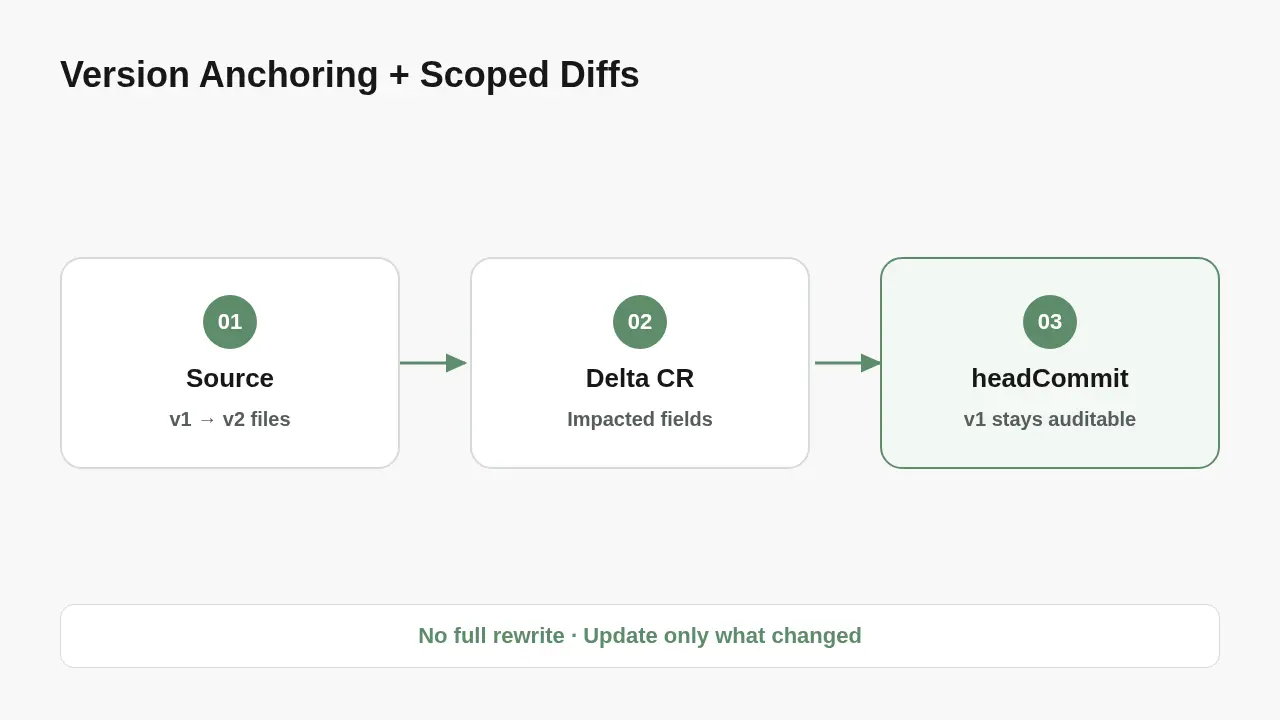
Suggested review-first workflow; it requires the connection and review settings described above. The diagram does not mean all write connections wait for human review.
Feed Neon a clean split: verified baseline plus delta
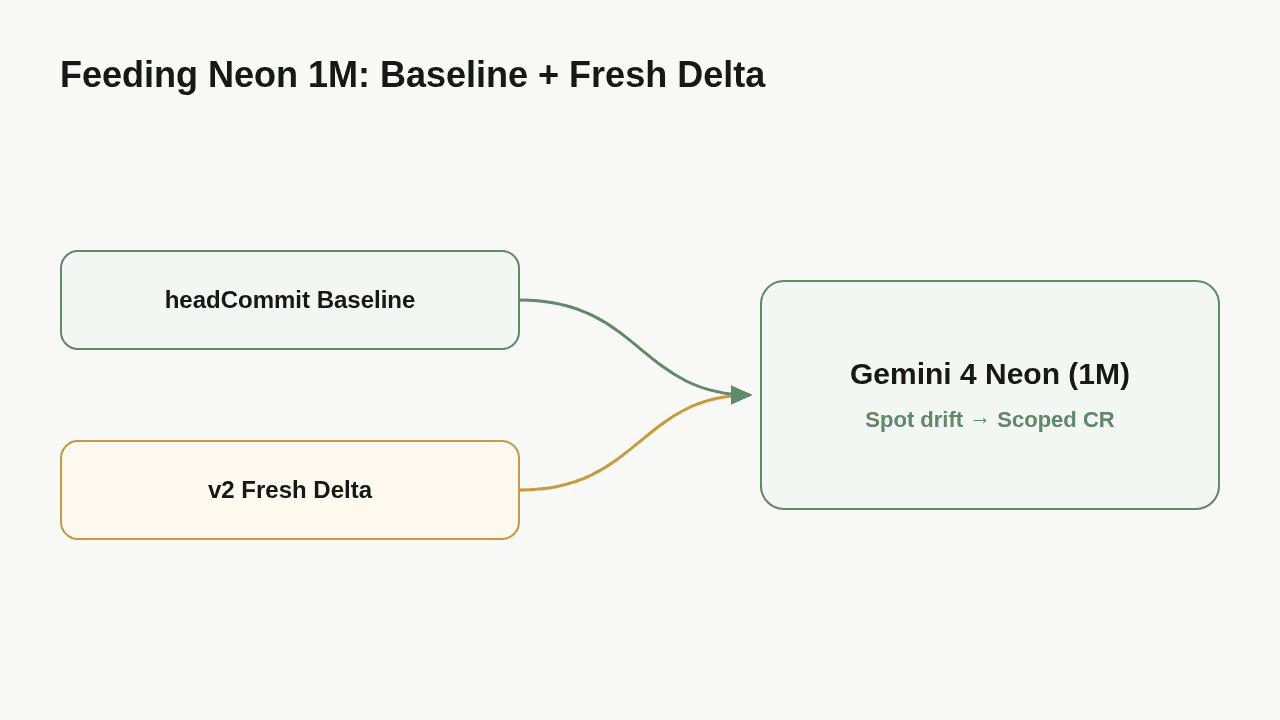
The next run should read conclusions the team has accepted, their applicable source versions, and the new file that still needs review. A current headCommit identifies stored state; it does not prove that a conclusion is true or up to date.
Give the connected client read access for inspection, or proposal-only access when it must suggest updates. Separate accepted facts from the new delta and explain any conflict. This makes the comparison inspectable; it is not a measured improvement in Neon’s accuracy.
Start with the two files that change most often
Try one source change first: save v2, propose the affected conclusion, inspect and merge the authorized change, then have a fresh task read it back. Busabase does not automatically watch supplier files or guarantee that every model will reread them. The person or workflow running the next task must perform those steps. Start from the quickstart and keep the reusable reading method in a Playbook.