Shared Memory for Gemini 4 Neon vs Claude Opus 5.5: Keeping Context Consistent Across Models
Routing between Gemini 4 Neon and Claude Opus 5.5 breaks down if each model keeps private chat history. See how a shared memory table with ChangeRequest review keeps teams aligned.
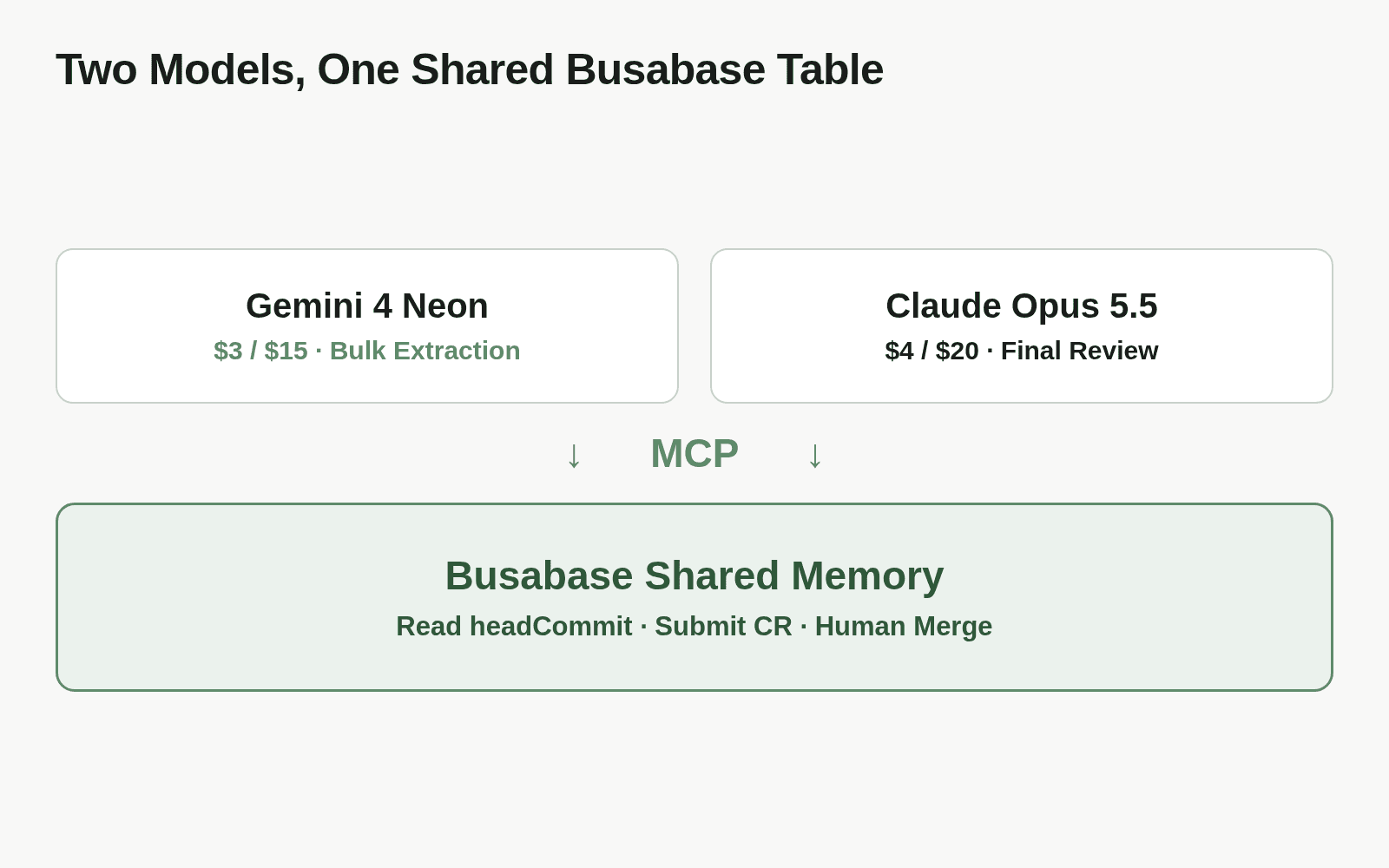
Teams comparing Gemini 4 Neon and Claude Opus 5.5 often end up running both: Neon for high-frequency code, multimodal extraction, and cached repository scans ($3/$15 per 1M tokens, $0.15 cached), and Opus 5.5 ($4/$20 per 1M tokens) for cross-document contradiction checks and final review.
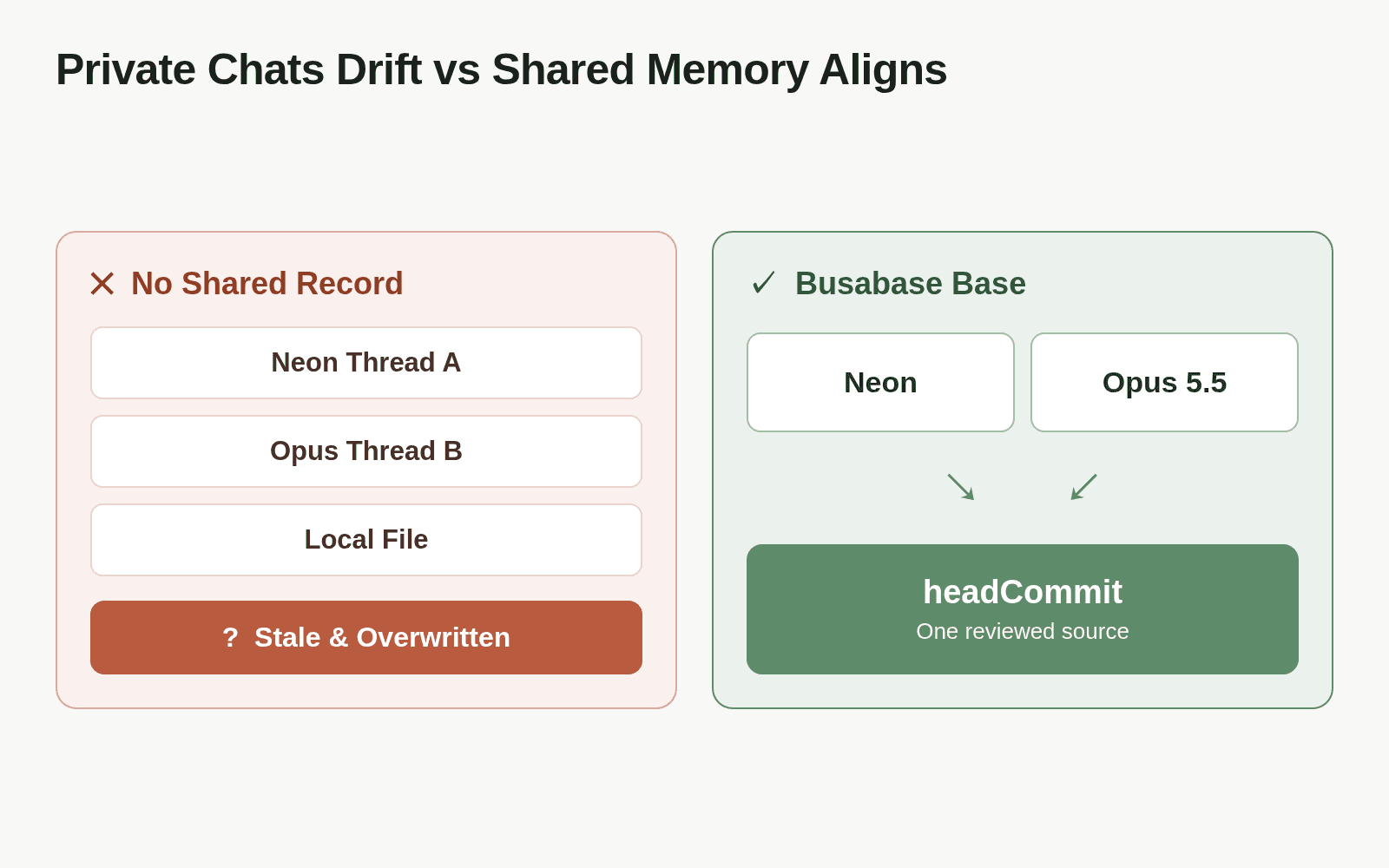
The trouble starts when those two models do not share the same memory. If Neon’s findings sit in one chat thread and Opus 5.5’s review sits in another, every handoff depends on someone copying the right version by hand—and neither model knows which record is canonical.
Why multi-model routing fails without a shared system of record
When an engineering or operations team splits work across models, three failure modes appear quickly:
- Context drift between runs: Neon extracts updated requirements from a 1M-token spec, while Opus 5.5 still reasons over an older summary pasted yesterday.
- Unreviewed overwrites: An Agent updates a local Markdown file or spreadsheet directly, leaving no diff showing what changed between the Neon pass and the Opus pass.
- No single source of truth: Reviewers cannot tell which numbers came from verified primary sources and which were tentative drafts.
Splitting roles between Gemini 4 Neon and Claude Opus 5.5
Published benchmarks show why teams pair the two instead of forcing one model to do everything:
- Gemini 4 Neon (Nov 18, 2026): 1M-token context window, 46.2% on FrontierCode 2.0 (
high), 65.2% on Terminal-Bench 4.1, and 73.5% on Chartography—well suited for repeated scans over large specs, spreadsheets, and logs. - Claude Opus 5.5: Built for multi-document synthesis, spotting conflicting claims across PDFs and codebases, and preparing high-stakes deliverables.
Use an agent client or integration that supports your chosen model and Busabase tools, and authorize both clients for the same Space through MCP. A model name is not an MCP client, and connecting Busabase does not grant access to that model. Have each run read current records and sources rather than reuse a pasted answer.
Keeping every cross-model edit auditable with ChangeRequests
Every write keeps a ChangeRequest and history, but it does not always wait for a person. A proposal-only (changeRequest) connection leaves edits pending; a write connection normally merges them immediately. For this review-first example, use proposal-only access or explicitly request a pending change even when the connection can write. Check the returned status. Change Requests and API permissions describe the distinction.
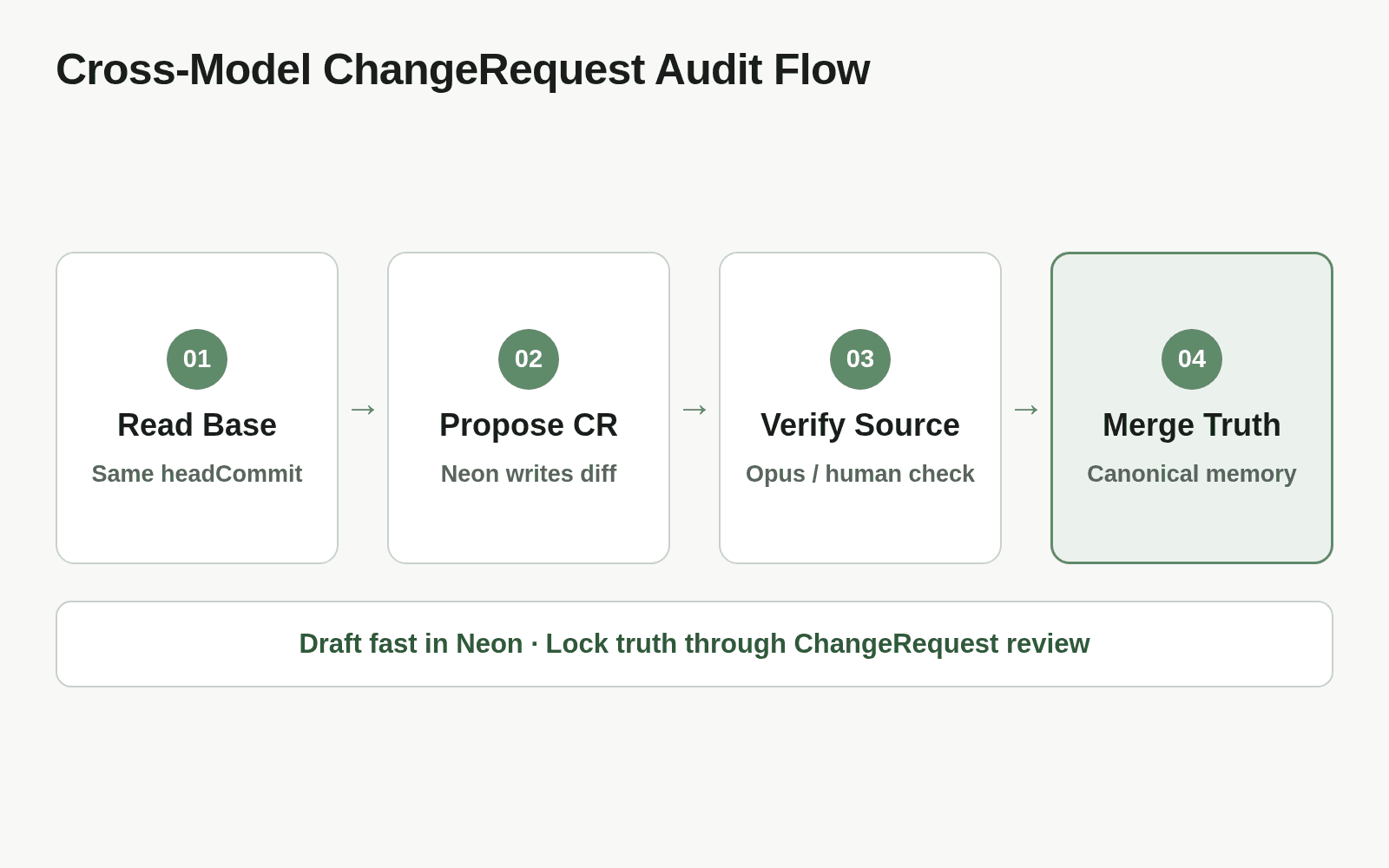
Suggested review-first workflow; it requires the connection and review settings described above. The diagram does not mean all write connections wait for human review.
Practical setup for teams running both models
A small first run can use one Base called Shared Findings. This is a suggested setup, not a built-in template.
| Field | Suggested type | What the next run reads |
|---|---|---|
| Finding | Text | One claim or decision, not a whole chat transcript |
| Source | URL or attachment | The actual evidence used |
| Source version | Text | Which file or snapshot supports the claim |
| State | Select | Pending, accepted, or superseded |
| Owner | Member or text | Who decides whether it can be reused |
Give the extraction client this instruction:
Read the current findings and the supplied source. Reuse matching records. Propose only the changed claims, with the source version and unresolved questions. Keep proposals pending; do not mark a conclusion accepted or merge it yourself. Return the ChangeRequest link and field differences.
Have the second client read the same source and proposal and return review notes. The owner decides whether to accept the conclusion and merge the change. A merged record whose State is still pending is not an accepted fact. On the next run, read accepted records whose source version and scope still apply.
Use the quickstart for a first Space and connection; repeat one manual cycle before adding a schedule.
Frequently Asked Questions
Why not just paste Gemini 4 Neon’s output into a Claude Opus 5.5 chat?
Manual pasting breaks as soon as two people or two scheduled runs update the same project. A shared Busabase Base gives both models—and your team—one canonical record with version history.
Does Busabase host Gemini 4 Neon or Claude Opus 5.5 directly?
Busabase is the shared workspace and structured memory layer. Your Agents connect to it via MCP or API regardless of which model provider runs the reasoning step.
Can an Agent auto-merge updates from Gemini 4 Neon without review?
Yes, when its connection has write access and the request does not force review, a change can merge immediately. For a human-review step, use proposal-only access or explicitly retain a pending ChangeRequest. A Base review policy and a prompt alone do not turn a write-capable connection into proposal-only access.