Busa Client Reporting Template: Set External Disclosure Boundaries
Why read-only access alone is not safe enough for client portals—and how Busabase separates internal notes, drafts, and client-ready reports.
Agencies and consulting teams often confuse "read-only" with "safe to share."
Someone locks editing on a dashboard and sends the link to a client—forgetting that internal account notes, cost margins, unreviewed drafts, and even other clients' rows sit inside the exact same workspace. Read-only stops edits; it does not stop leaks.
The Busa Client Reporting Template solves this by separating what your delivery team works on internally from what clients are cleared to see across six connected tables.
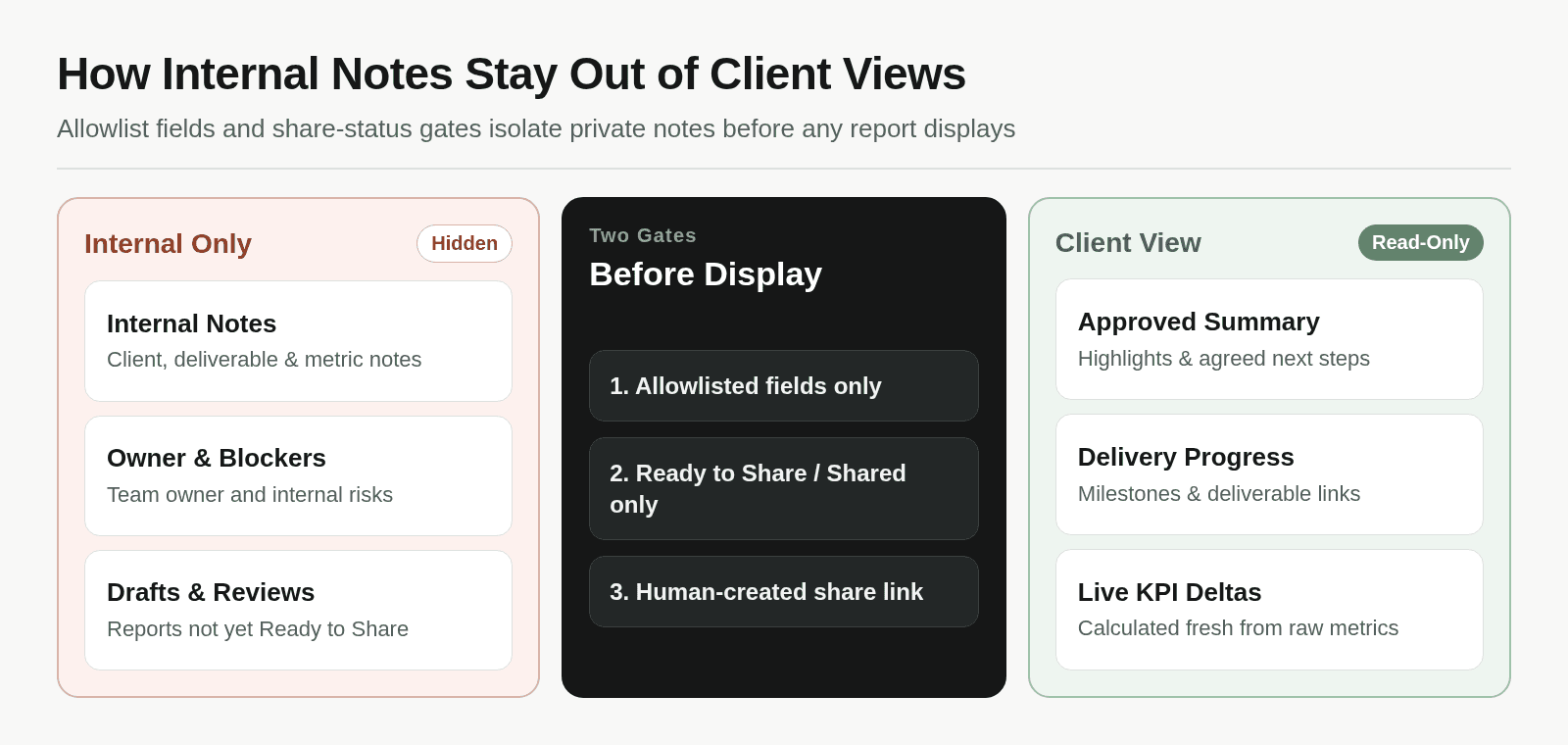
Separate Internal Notes From Client-Safe Output
Across Clients, Metrics, Reports, Action Items, Meetings, and Report Templates, the template keeps private operational context out of external views:
| Record Type | Kept Internal Only | Safe for Client View (After Approval) |
|---|---|---|
| Clients | Billing schedule, internal contact notes, account tags | Client name, industry, main contact, report cadence |
| Metrics | Internal tracking flags and ungrouped raw pulls | Period value, previous-period comparison, and clear trends |
| Reports | Internal commentary, blockers, and draft editions | Approved shared reports with summary, highlights, and next steps |
| Action Items & Meetings | Unassigned back-office prep tasks | Client-facing milestones, owners, and meeting summaries |
Because internal fields stay separated from the client portal layout, account managers no longer have to duplicate metrics into separate slides every Friday just to hide private remarks.
Drafts Stay Hidden Until You Mark Them Shared
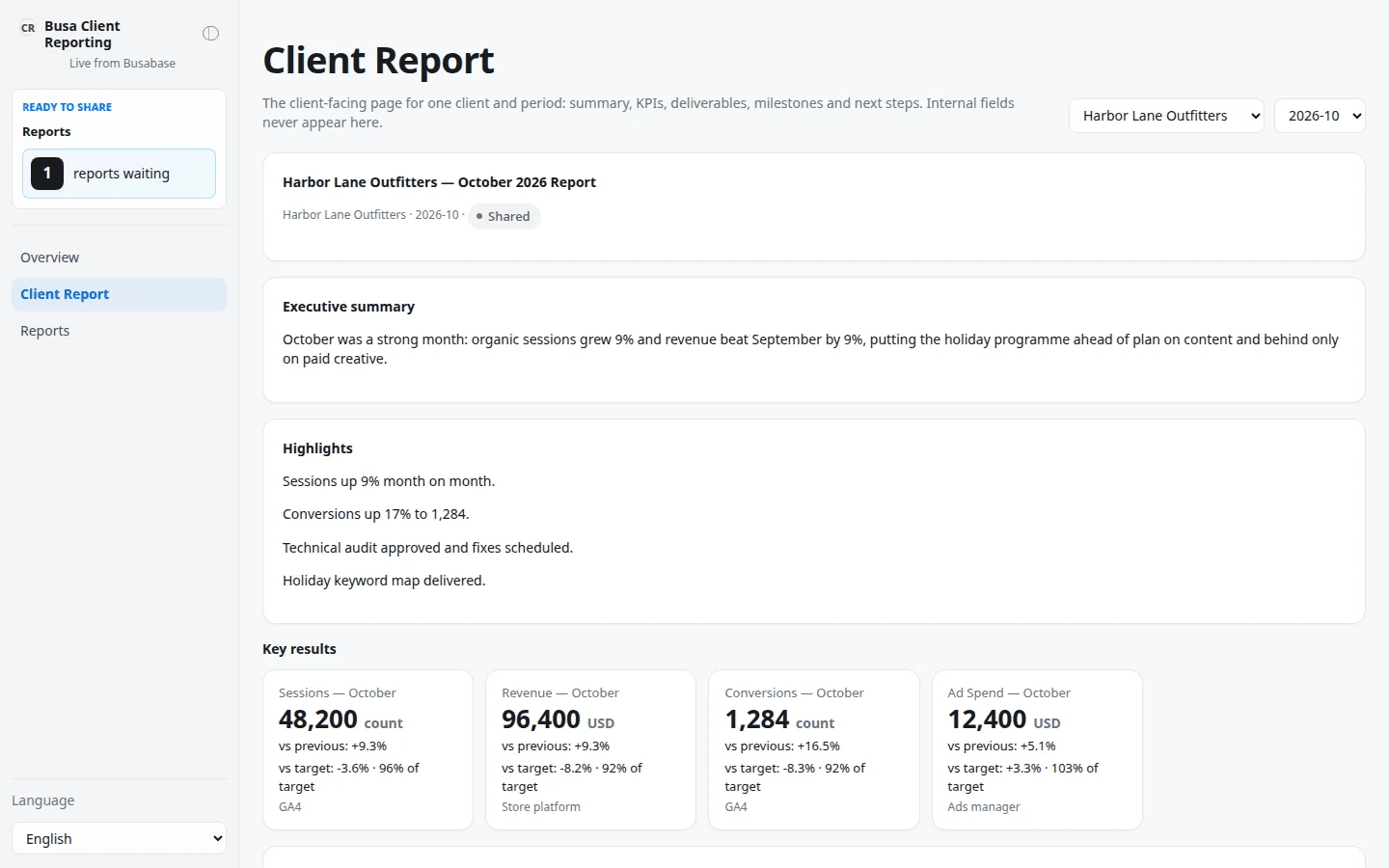
A polished report starts with clean timing. Every new monthly or weekly edition enters the Reports table as a draft, keeping rough notes invisible externally until an account lead approves it and flips the status to shared.
Every table update in Busabase flows through reviewable Change Requests, creating a dependable System of Record for AI Agents and human reviewers alike.
Live KPI Comparisons Without Stale Spreadsheets
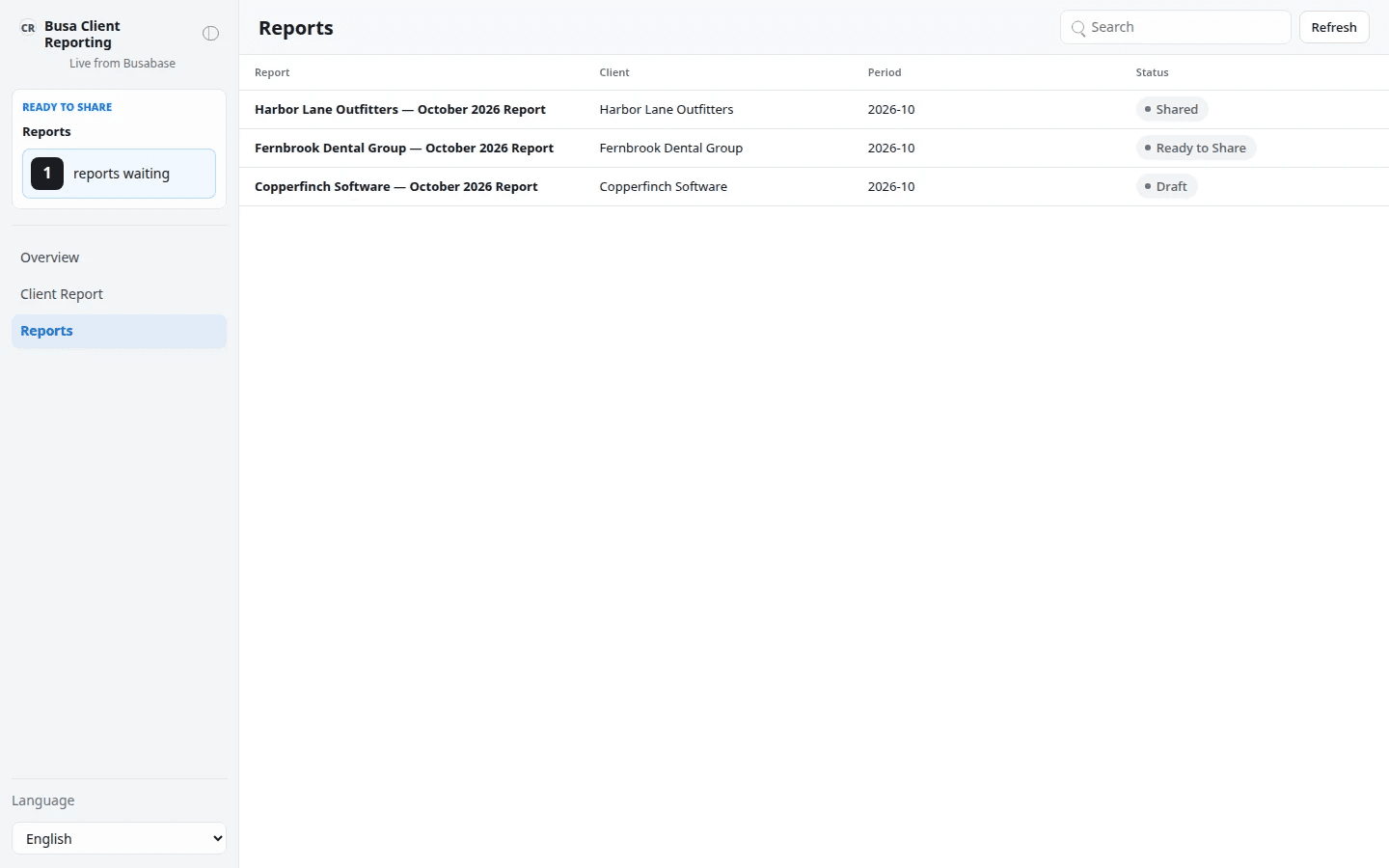
When someone updates a metric, period-over-period comparisons recalculate directly from the latest Metrics records instead of relying on stale copied cells. That removes one of the biggest client headaches: mismatched numbers between a summary card and the underlying metric table.
The interface also flags when a table reaches more than 50 records with an explicit "load more" prompt instead of silently cutting rows off—so long-running accounts never mistake partial views for full history.
Practical Sharing Rules Before Sending Any Link
The template gives you a clean, read-only Client View out of the box—with editing controls removed and client-safe fields surfaced. Before sharing externally, keep two straightforward team habits in place:
- Create a scoped read-only node or copy per client: Instead of handing one client a link to a shared multi-client space, configure a dedicated client node or scoped read-only view so each customer sees only their own rows.
- Preview before you send: Double-check that the report status is set to
sharedand inspect the actual external view once—just as you keep evidence tied to deliverables and separate approval from final publication.
Start Using Busa Client Reporting
Enable the Busa Client Reporting Template in your Busabase workspace to get all six tables and both internal and external views ready in minutes:
- Connect your account metrics and meeting notes through reviewable Change Requests.
- Keep internal health commentary in private fields and new reports in
draftuntil sign-off. - Flip approved editions to
sharedand share only scoped, client-specific read-only views.
Frequently Asked Questions
Does switching a link to "read-only" automatically hide internal fields?
No. Read-only blocks edits, not visibility. Keeping private notes in separate internal fields and scoping each client’s shared view is what protects internal context.
Can clients see a report while we are still editing the draft?
No. The external client view displays only reports marked shared, keeping draft editions private until your lead signs off.
How does the template keep KPI changes consistent across tables?
Period-over-period deltas calculate live from the current Metrics records rather than storing duplicate manual summary numbers that go stale.
Can an AI Agent draft our weekly client reports?
Yes—an Agent can gather recent metrics, action items, and meeting takeaways into a draft report via Change Request, while your account lead reviews and publishes it to shared.