R&D Projects Template: Keep Merged Code Separate From Accepted Delivery
Why merged pull requests do not equal shipped user value—and how Busabase R&D Projects keeps delivery, acceptance, and weekly sign-off separate.
In engineering standups, "merged" often passes for "done."
Then an executive or client opens the product on Friday and asks where the promised feature is. It turns out the pull request landed, yet the workflow was never verified end to end, environment settings are missing, or nobody signed off before release.
The R&D Projects Template in Busabase breaks that habit by design. Instead of treating Git merges as finished deliveries, it connects six shared tables across planning, build, acceptance, and weekly reporting so merged code never masquerades as signed-off value.
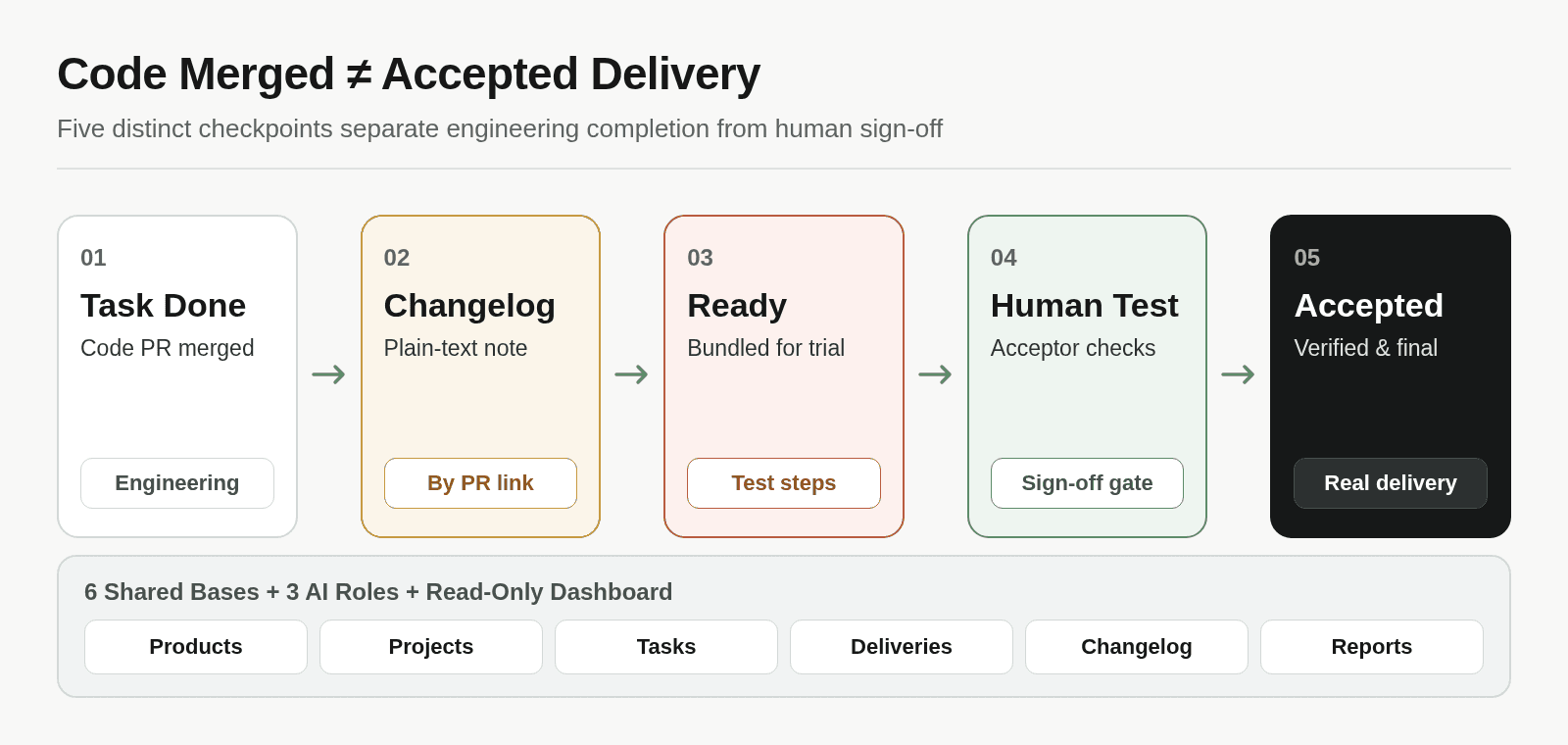
Five Delivery States That Never Blur Together
Most teams collapse engineering progress and delivery readiness into a single "Done" column. R&D Projects keeps five distinct steps in the Deliveries table:
- Building: Tasks are still in progress or waiting on dependencies.
- Code Merged: Code has landed in the branch—helpful for engineers, not a finished customer feature.
- Ready for Acceptance: Every task in the delivery package is complete and ready for verification.
- Accepted: A human reviewer has tested the outcome and signed off in the Acceptance table.
- Released: The verified package is live in production and closed out cleanly.
Because every status change enters Busabase as a reviewable Change Request, you get a clear System of Record for AI Agents and teammates—not silent status flips in a spreadsheet.
Package Deliverables by User Capability, Not Pull Requests
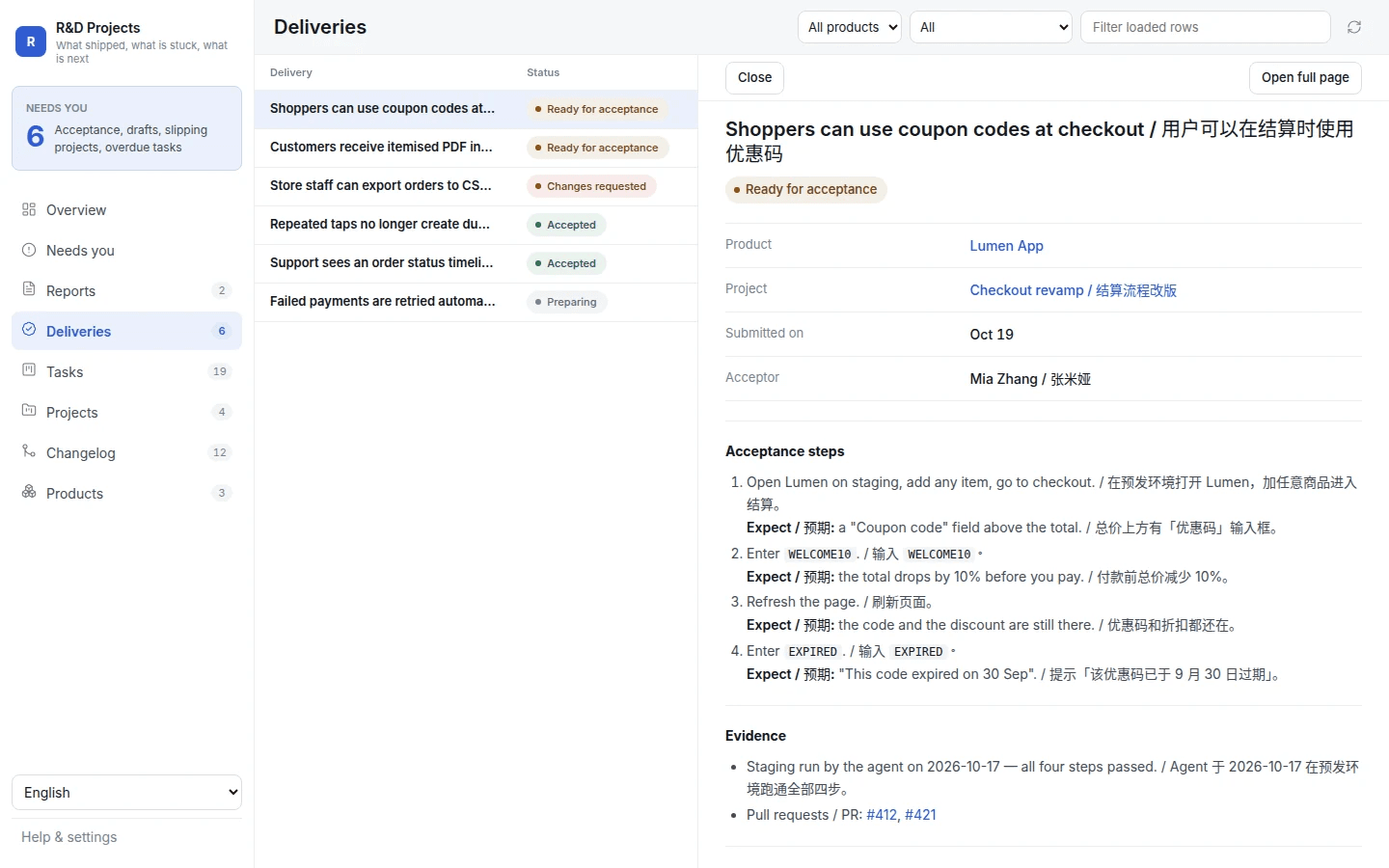
A single login flow might span API changes, UI states, and permission fixes across multiple tasks. In R&D Projects, a Delivery groups those linked tasks into one user-facing capability—so reviewers check what a real person can actually do, rather than reading raw commit lists.
| Table | Purpose in the Workflow | Key Accountability Rule |
|---|---|---|
| Requirements | Captures specs, scope, and priorities | Links down to breakdown tasks |
| Tasks | Tracks build progress and blockers | Stays linked to parent requirement & delivery |
| Deliveries | Groups tasks into testable capabilities | Splits Code Merged from Accepted |
| Acceptance | Records test results and sign-offs | Must name a human approver |
| Weekly Reports | Summarizes progress, blockers, and launches | Separates draft from finalized |
| Architecture | Holds shared technical decisions | Keeps design choices alongside active work |
Three Clear Roles—and One Strict Human Sign-Off Rule
To keep pace high without cutting corners, R&D Projects divides responsibilities across three specialized workflow roles:
- Planning & Breakdown: Organizes raw product notes into structured Requirements and linked Tasks, highlighting missing decisions before engineering starts.
- Engineering Sync: Records completed work, updates task states, and logs architecture updates as clean Change Requests.
- Delivery & Weekly Ops: Moves complete feature packages into acceptance review, tracks blockers, and drafts weekly summaries.
Crucially, code agents do not approve their own acceptance. Every Acceptance record requires a named human verifier, and every Change Request waits for authorized review—preserving the guardrails covered in Change Requests and our guide to evidence-backed deliverables.
Weekly Reporting Built Straight From Verified Records
Instead of chasing screenshots in Slack every Friday afternoon, the template generates Weekly Reports straight from live Requirements, Deliveries, Acceptance, and Architecture records.
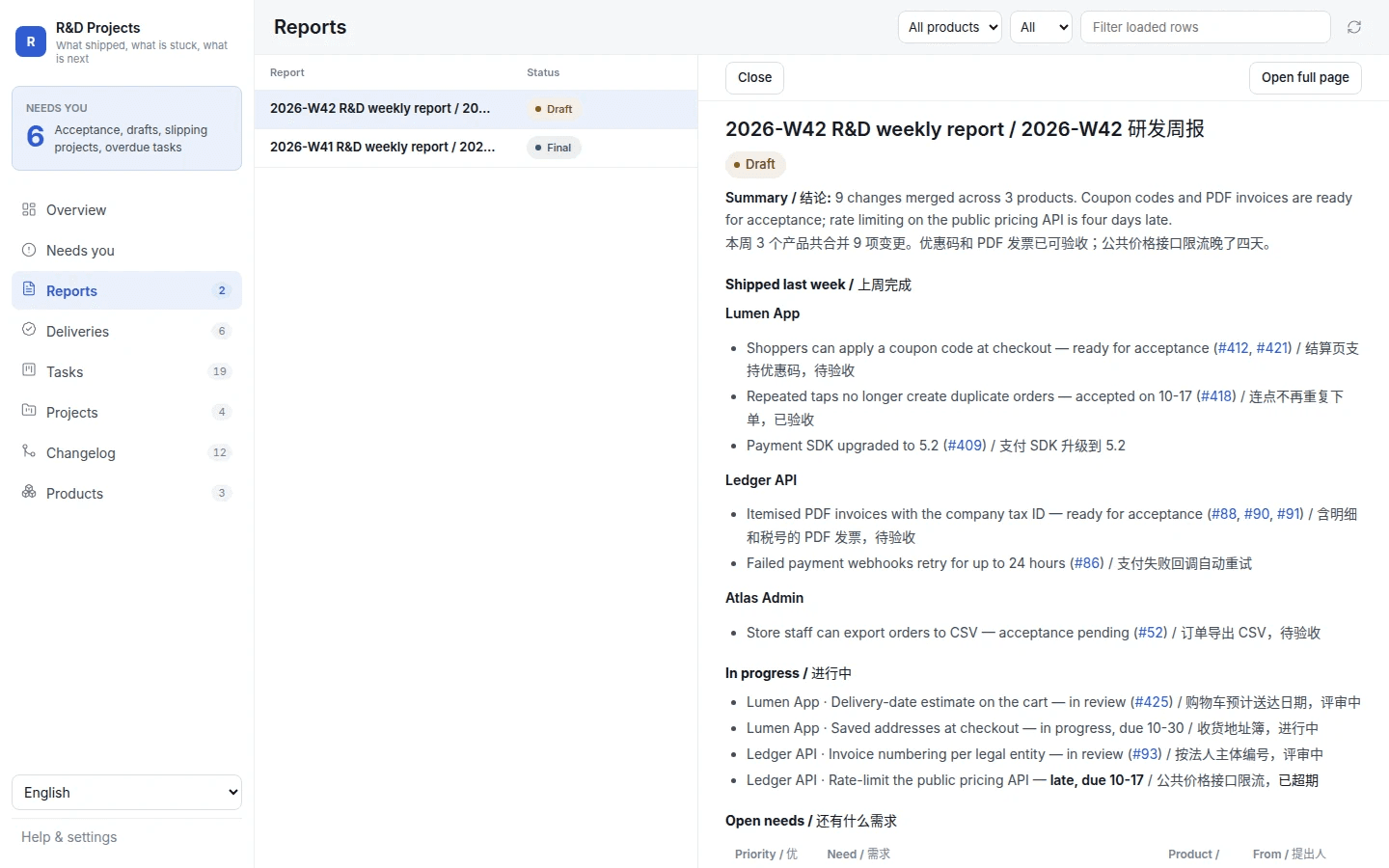
Every weekly recap starts as a draft so project leads can check blocker context and scope notes before switching it to finalized. That keeps approval and final publication cleanly separated on internal ops just as much as on public content.
Start Using R&D Projects in Your Workspace
You can install the R&D Projects Template directly in Busabase without building tables from scratch:
- Open the template in your Busabase workspace to create the six connected tables and views.
- Connect your team and Agent workflows so task updates flow in as reviewable Change Requests.
- Require a named human reviewer on Acceptance records before any delivery moves from Code Merged to Released.
Frequently Asked Questions
Why track "Code Merged" and "Accepted" separately?
Merged code only tells you branches were combined. Accepted confirms the full user workflow actually works in the right environment and passed human checks.
Can an AI Agent sign off its own delivery?
No. Agents can draft tasks, propose updates, and prepare weekly summaries, while named human reviewers hold final sign-off in the Acceptance table.
How does grouping by capability change weekly reviews?
Stakeholders see completed user capabilities—such as "SSO login works end to end"—backed by acceptance evidence instead of deciphering internal task numbers.
Do weekly reports publish automatically?
No. Reports start in draft status so a lead can verify blockers and metrics before marking the report finalized.