Comparison
Busabase vs Lark Base: where should your agents write?
Lark Base is the table a lot of teams already live in: build a base inside Lark, add dashboards and automations, and share it in chat. Busabase is built for a different moment — when more and more of the writing is done by AI agents, and you need to see what each one changed, review it when you want to, and undo exactly the change that was wrong. In Busabase every agent edit is a Change Request with a diff and an author. You bring whichever agent you use. And the whole workspace is open source, so it can run inside your own network, even fully offline.
One note on names: the same product is called Lark Base internationally (run by Lark Technologies, headquartered in Singapore) and 飞书多维表格 (Feishu Bitable) in mainland China. The two editions are priced separately; this page follows Lark Base and lists both prices.
Last verified 13 November 2026 against Lark's product, pricing, help-center and developer pages, Feishu's pricing page, and the current Busabase product.
The short verdict
Choose Busabase
Choose Lark Base
Use both
The core difference: every change is a Change Request
Think of it as a pull request for your data. In Busabase, every edit — a record, a Doc, a Skill file, a schema change — is a Change Request: a branch with a chain of immutable commits. Merging moves the record forward; nothing is overwritten.
In Lark Base, anyone (or any agent) with edit permission changes a cell and the change is written straight into the table. Afterwards, edit history shows who changed what and when — though Lark notes that "the edit history for records is retained for 180 days" — and the documented way back is to "restore the base to a previous version": the whole base, not one change.
- A message and a diff on every write. Each change says what it does and shows the field-level before and after.
- Know which agent did it. The author, and the key or tool the change came through, stay on the commit.
- History that stays, undo that is precise. Every record, Doc and Skill keeps its full history, and any single change can be rolled back without rewinding everything else.
- Review when you choose. Writes with write access land immediately. Give an agent a proposal-only key and its changes wait in the Inbox for a person to approve or send back.
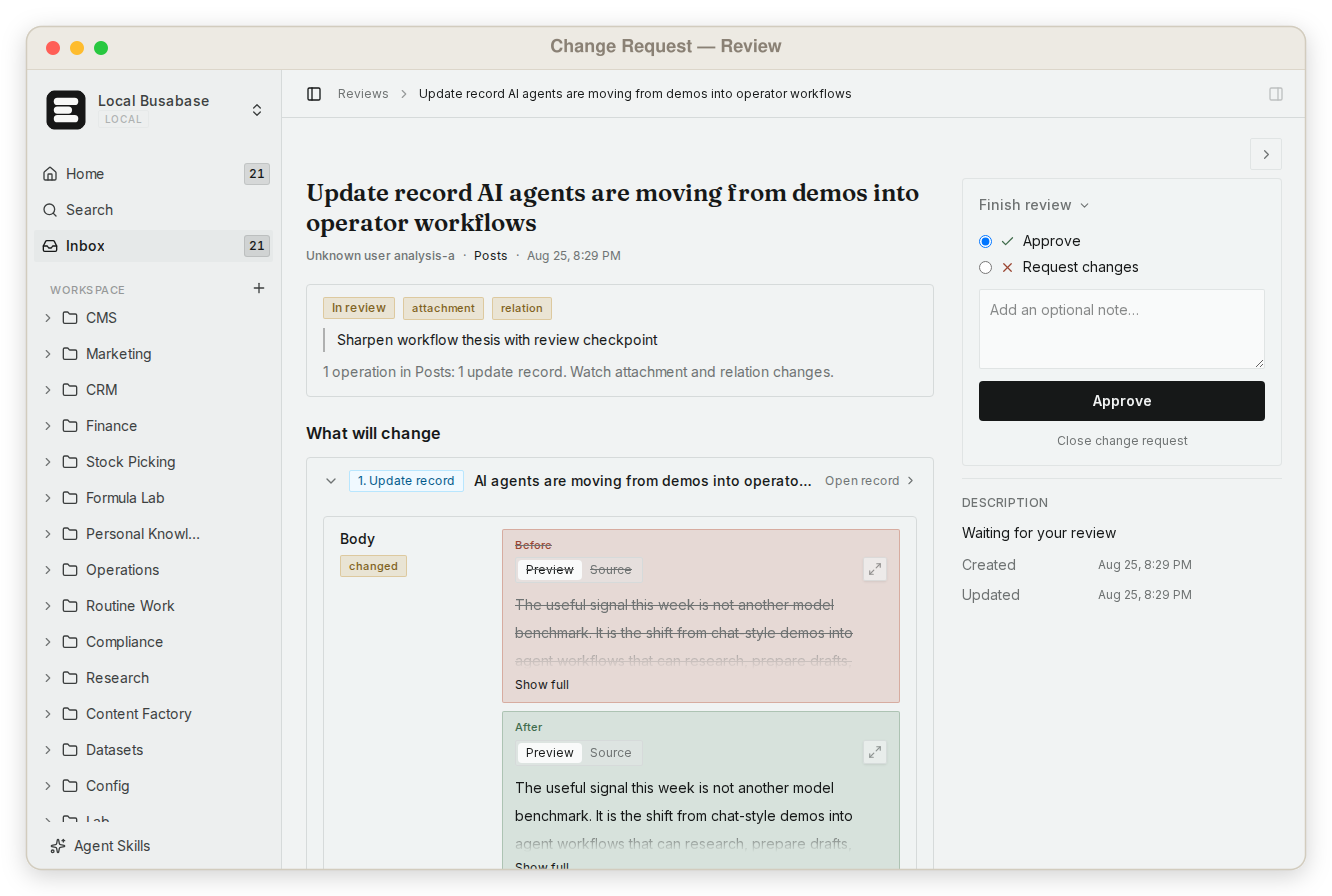
This is what makes it safe to let agents write to the data your team actually uses — not by keeping them out, but by making every change visible and reversible.
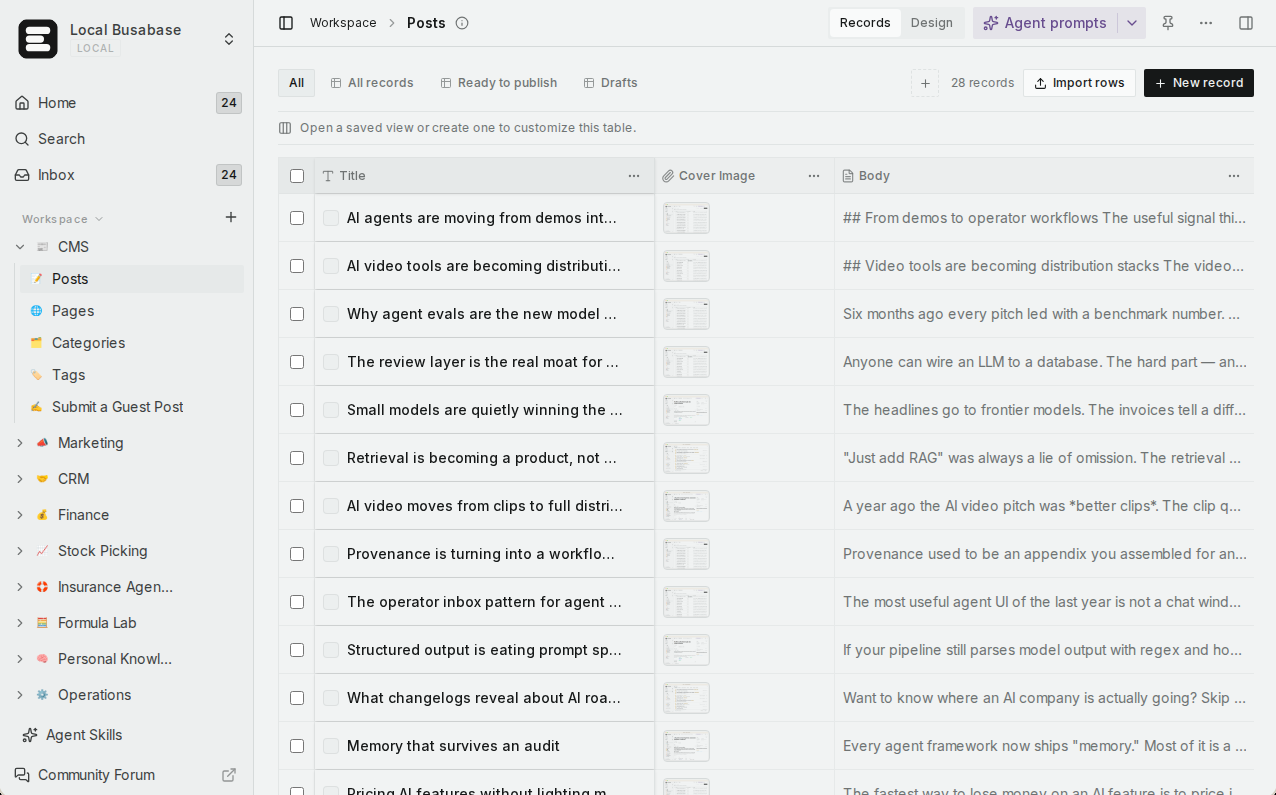
What else Busabase gives your agents and your team
All of this comes with the workspace — no add-ons, nothing to assemble.
Bring any agent
Visual data tables
A team knowledge base
Grep across everything
Upload your team's Skills
Apps on four engines
Websites on your own domain
Permissions by key
Your data stays in your network
Job by job
Each row is something a team actually needs when agents do the work. Lark Base's home ground gets the last row, and its own section below.
| The job | Busabase | Lark Base |
|---|---|---|
| See every change before and after, and who made it | Built in — a Change Request with a field-level diff, the author and the key it came through; history is kept | Edit history with editor, time and change; record history is retained for 180 days |
| Undo one change and leave the rest alone | Yes — any single change can be rolled back | Restore the whole base to a previous version; record history lets you copy the old value |
| Let an agent propose, and apply only after a person looks | Yes — a proposal-only key sends its changes to the Inbox | Writes with edit permission apply directly; advanced permissions can limit which rows and columns it edits |
| Connect Claude Code, Codex, Cursor or your own agent | Yes — MCP, CLI, OpenAPI, webhooks, plugins; each write is signed by its own key | Yes — an official MCP server and the open-source lark-cli with agent skills, plus built-in Base AI features |
| Give every agent the same team Skills | Yes — upload once, every agent reads the same version, edits are Change Requests | lark-cli ships skills that teach agents to operate Lark; your own team's skills are not a Base feature |
| Find an exact string anywhere | Yes — one regex grep across files, Docs, records and agent prompts | Keyword search |
| See the same data as a table, kanban, calendar or Gantt | Yes — five views, saved views, AND/OR filter groups | Yes — grid, kanban, gallery, Gantt, calendar and form views, plus dashboards |
| Turn data into an app or a website | Yes — AirApps in the browser, on your machine, in a cloud sandbox, or as a website on your domain | App mode inside Lark |
| Open source, self-hosted, even fully offline | Yes — MIT, from a laptop to an air-gapped network | Closed-source cloud service |
| Export to plain files you can take anywhere | Yes — Markdown, Base definitions, JSON records | Excel/CSV export; full configuration needs Lark's proprietary .base format |
| Work on tables right inside chat, docs and approvals | Not its job — Busabase is not a chat or approvals suite | Yes — this is Lark's home ground: messenger, docs, approvals and dashboards in one suite |
Coming next
These three are in development and not available yet. They are listed so you can plan; this page will be updated when they ship.
App users In development
Ontology In development
Fine-grained permissions In development
You decide where the data lives
Lark Base is part of Lark's cloud service, and your data lives in Lark's cloud. For most teams that is fine. In mainland China, Feishu also does on-premises deployments for large customers — its site describes one for China Minsheng Bank — but that is an enterprise project you negotiate.
Busabase is MIT open source. A developer can install it on a laptop or inside the company network this afternoon, and it keeps working with no internet connection. Your agents read and write data on your machines, so customer lists, contracts and internal policies never have to leave your network. Move to Busabase Cloud later, or back again, by exporting the space to plain files.
That matters most for two kinds of teams: those with data-residency or industry compliance rules, and those that want agents working on sensitive business data without handing that data to any one platform.
Using them together
Teams already on Lark often split the work like this:
- Chat, meetings, approvals and the dashboards leadership looks at stay in Lark.
- A sales agent researches target accounts and writes them into a customer Base in Busabase. Every edit is a Change Request the sales lead can check in the Inbox.
- Talk tracks, pricing rules and delivery standards live as Skills in Busabase, so every agent works from the same version.
- Finished results go back to a Lark group through Busabase webhooks or the API — or an agent publishes them as an AirApp website.
Neither replaces the other. Lark keeps people working smoothly together; Busabase makes what agents write trustworthy.
Pricing at a glance
Busabase
Plus: $10 per seat per month, billed yearly. Pro: $20, billed yearly.
Flat per seat, no metered overage. Self-hosting is free under MIT, with no seat limit.
Lark (international)
Lark Base on its own: Pro $8 per user per month, billed annually.
Feishu (mainland China)
Business Standard: ¥50 per user per month. Business Pro: ¥80, adds advanced Base capabilities. Business Flagship: ¥120. Enterprise is custom.
All editions are billed annually.
Public prices as of 13 November 2026 (Lark in USD excluding tax, Feishu in CNY). Check Busabase pricing, Lark plans, Lark Base plans and Feishu pricing for current figures.
Where Lark Base is the better choice
- Your team already works in Lark. Chat, docs, meetings and approvals are there, and Base sits inside them with almost no training.
- People do most of the data entry and reporting. Lark Base's dashboards ("over 20 chart types that update in real time"), automations, forms and mobile entry are mature.
- You need row- and column-level permissions today. Lark's advanced permissions let specific members view or edit only specific records and fields.
Busabase's plain limits: it is not a chat, meetings or approvals suite; row- and field-level permissions inside a Base are in development; and sign-in for end users of the apps you publish is in development, not available yet.
FAQ
Are Lark Base and Feishu Bitable the same product?
Lark Base has edit history. How is a Change Request different?
Lark has its own AI features. Why add Busabase?
Does every agent write need approval?
Can I move data from Lark Base into Busabase?
Can Busabase run inside our network, fully offline?
Next step
Connect the agent you already use and have it put one real piece of work into a Base — an account list, a content calendar, a project tracker. Then open the Inbox and see exactly what it changed.
Related: All comparisons · Busabase vs Notion · Busabase vs Supabase · How Change Requests work · Search and grep · Publish an AirApp as a website
Sources: Lark Base product page, Lark Base plans, Lark plans, Lark Help Center: View edit history in Base, Lark Help Center: Use advanced permissions in Base, Lark Help Center: Import or export a base, Lark/Feishu Open Platform: MCP, lark-cli, Feishu pricing, Feishu: Minsheng Bank deployment